Connect investments
Connect Trading 212 using read-only access.
Screenshots use fictional accounts and example amounts. Select any image to open it full size.
How it works
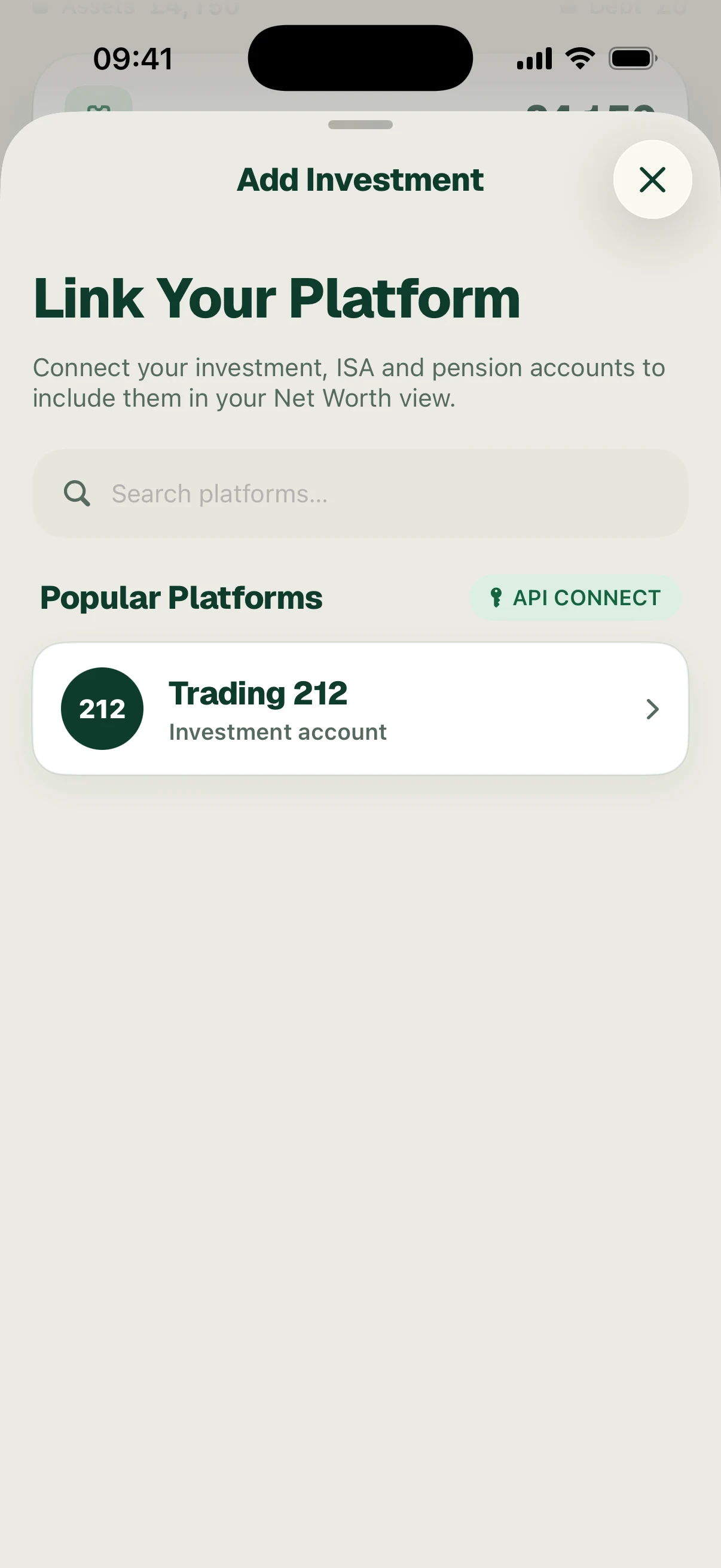
From Net Worth, choose to connect an investment platform. Choose Trading 212 from the platform picker.
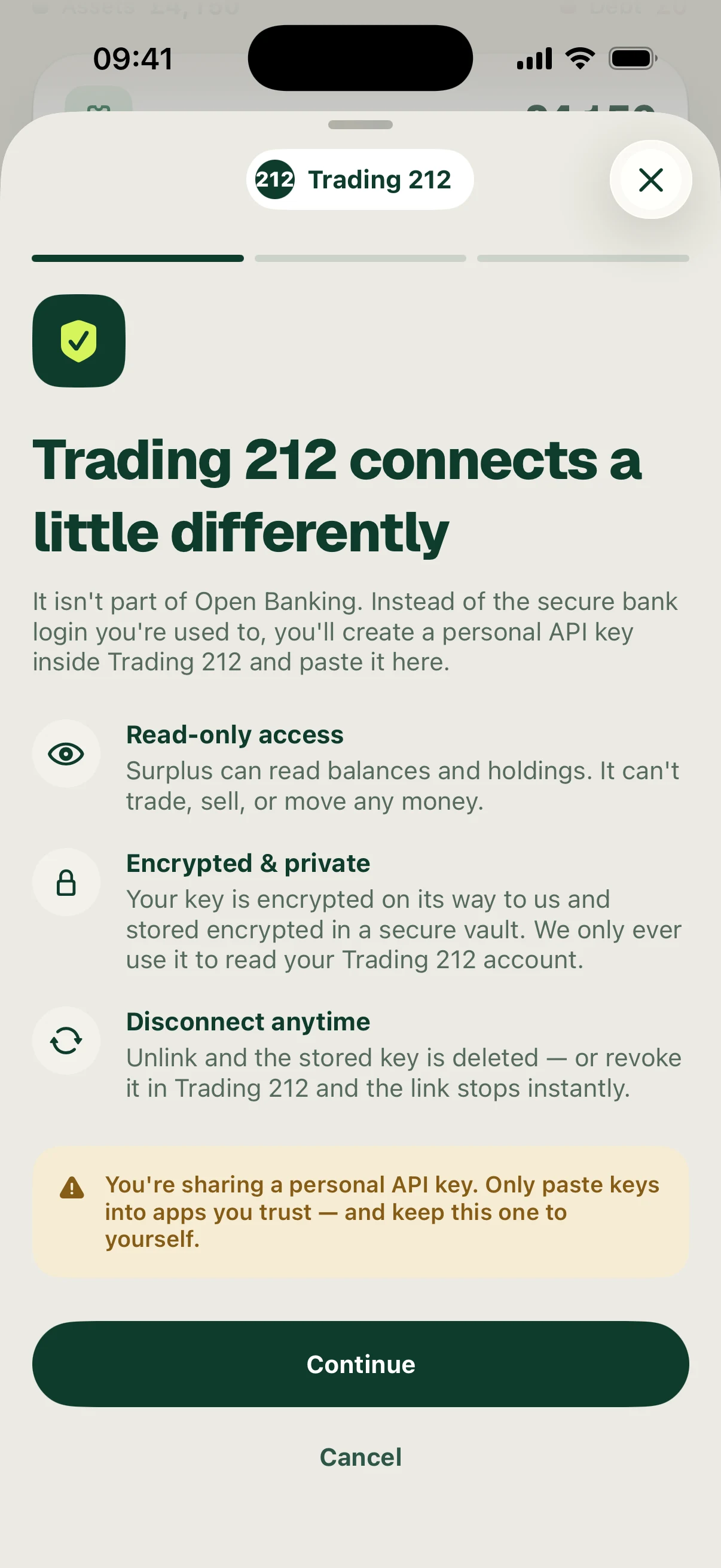
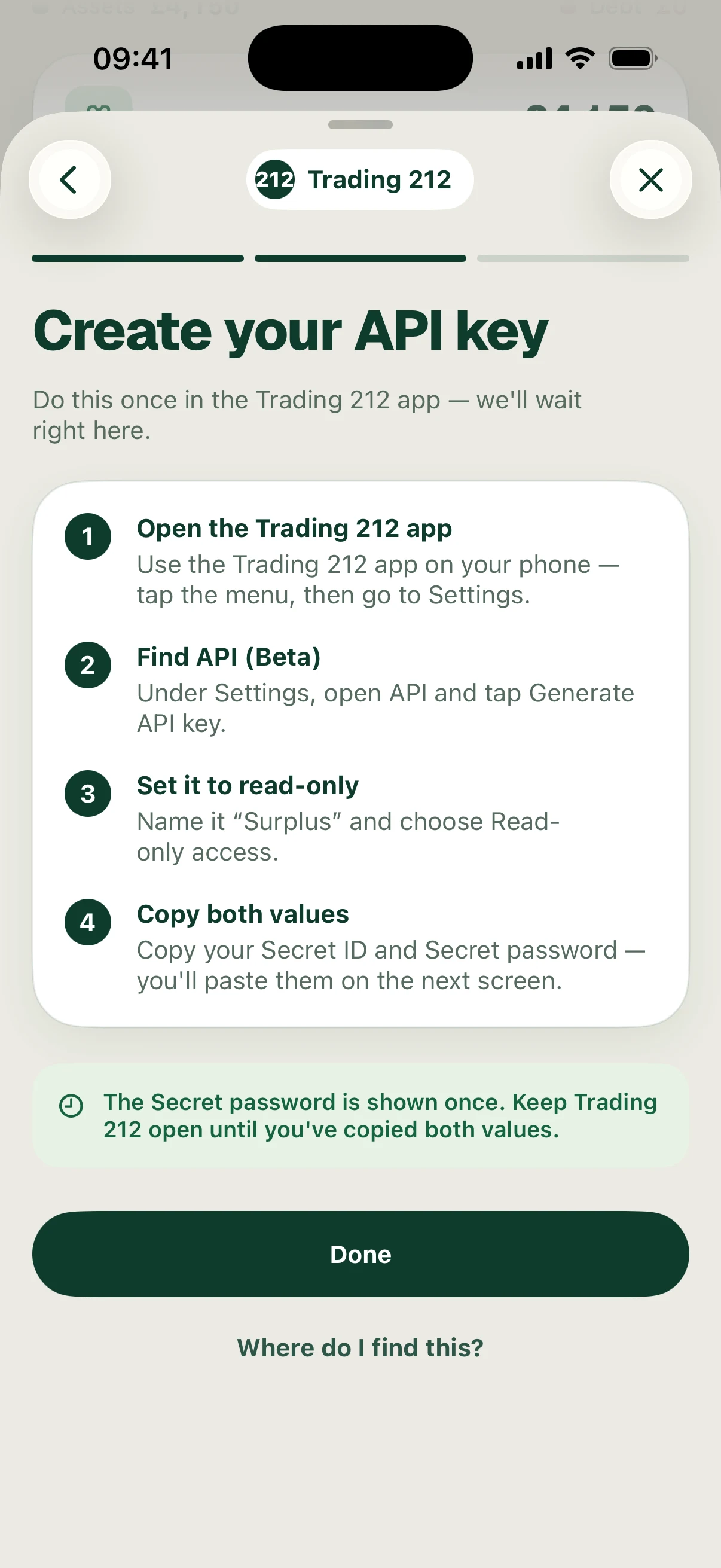
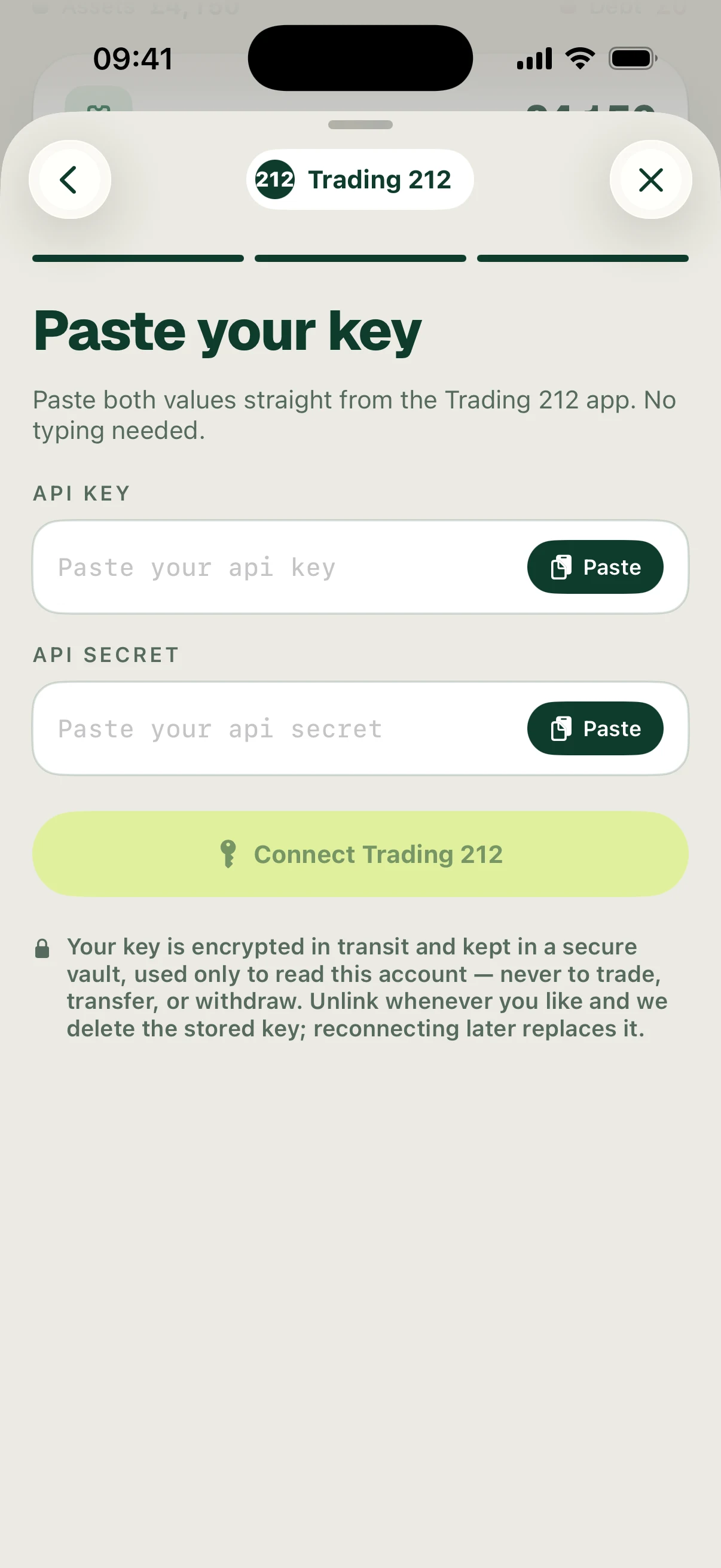
Read the access explanation, then follow the in-app instructions to create a read-only API key in Trading 212. In Trading 212, open the menu, Settings → API (Beta), then Generate API key. Review and accept the provider’s risk warning. Name it Surplus, choose read-only access and copy both values. Return to Surplus, enter the requested key and secret and connect.
The app warns that the secret is shown once. Keep it private. Enter your own credentials in the connection form. Never share your API key or secret with anyone else.
You can also follow Trading 212’s official API key instructions.
Follow the screens