Set up debt
Check detected debts and add balances, interest rates and regular repayments.
Screenshots use fictional accounts and example amounts. Select any image to open it full size.
How it works
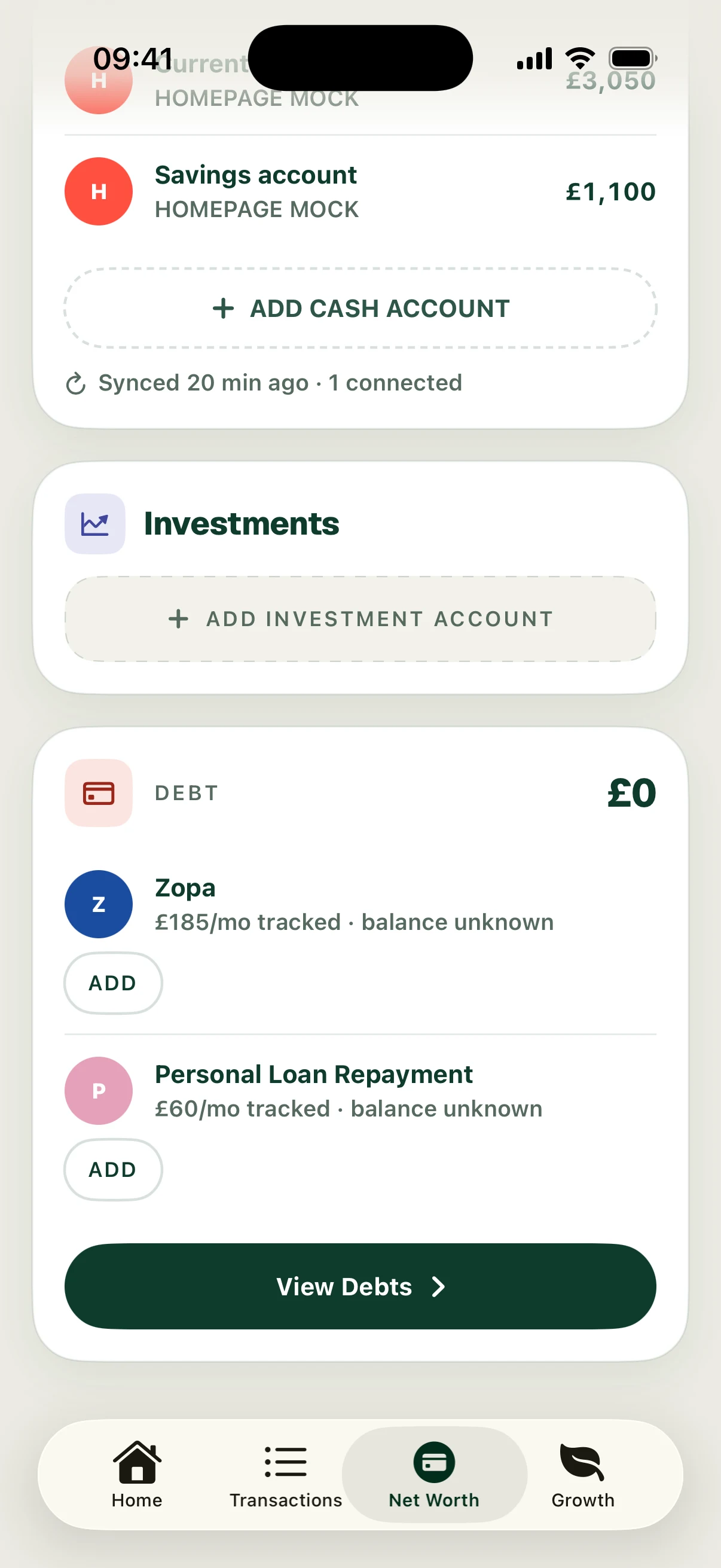
Open Net Worth and review the debts Surplus has detected. A regular repayment can identify a possible debt without supplying its current outstanding balance or interest rate.
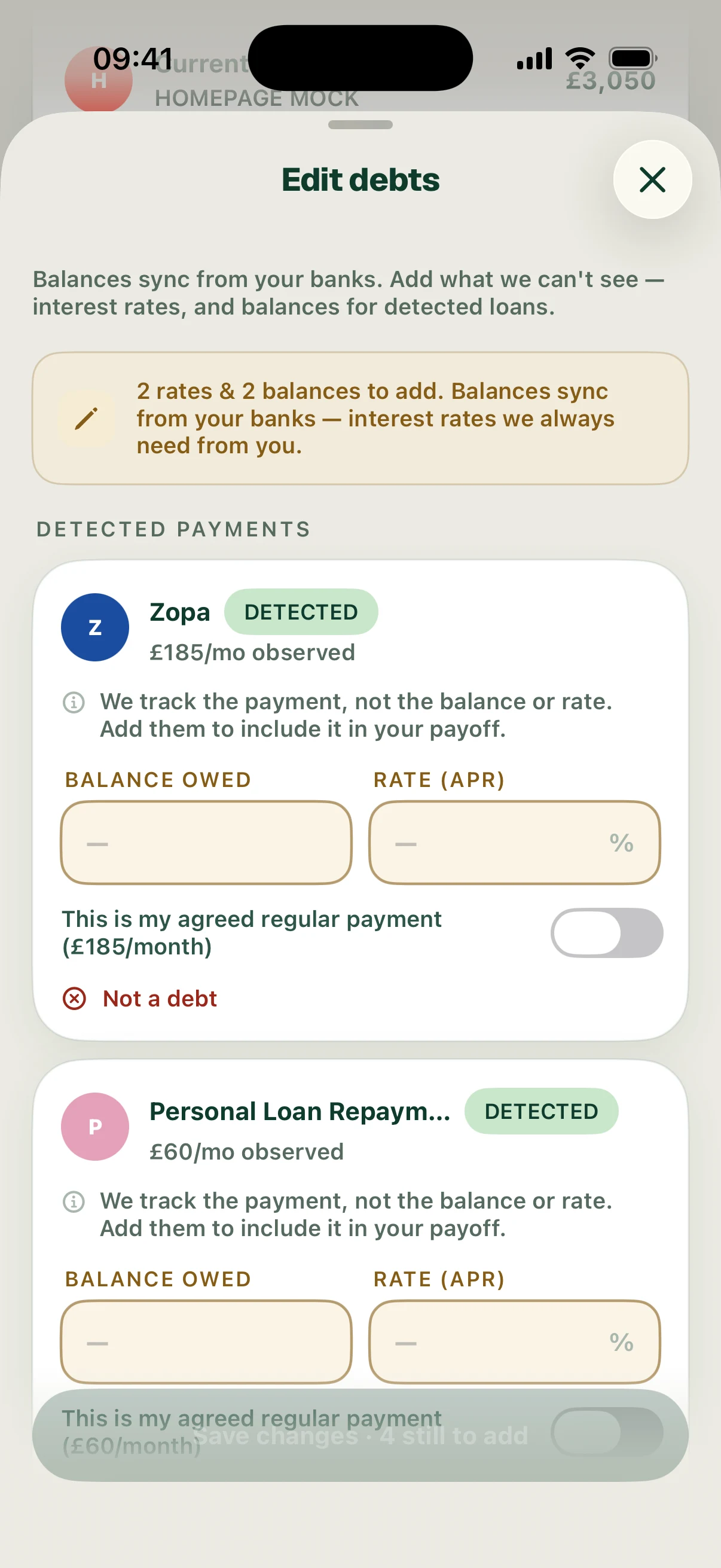
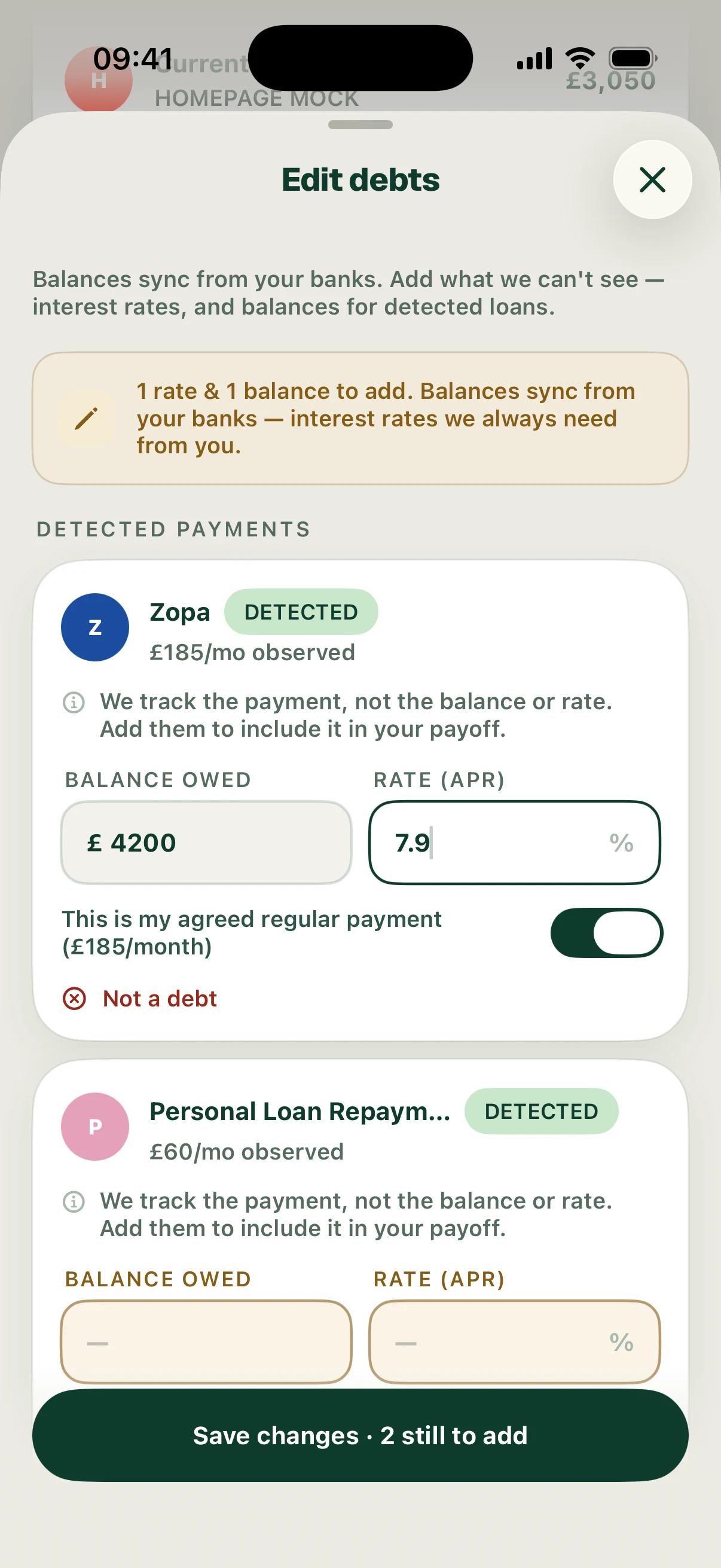
Open debt setup, enter the balance and APR for each debt, and check the regular payment. Confirm the agreed regular-payment option where it applies. Save, then check the debt overview.
The example has Zopa at £4,200 and 7.9% APR with a £185 monthly payment, plus a £1,200 loan at 0% with a £60 monthly payment. Use your lender’s figures when setting up your own debts.
Follow the screens