Set up your payslip
Add your pay, tax code, pension and student loan assumptions.
Screenshots use fictional accounts and example amounts. Select any image to open it full size.
How it works
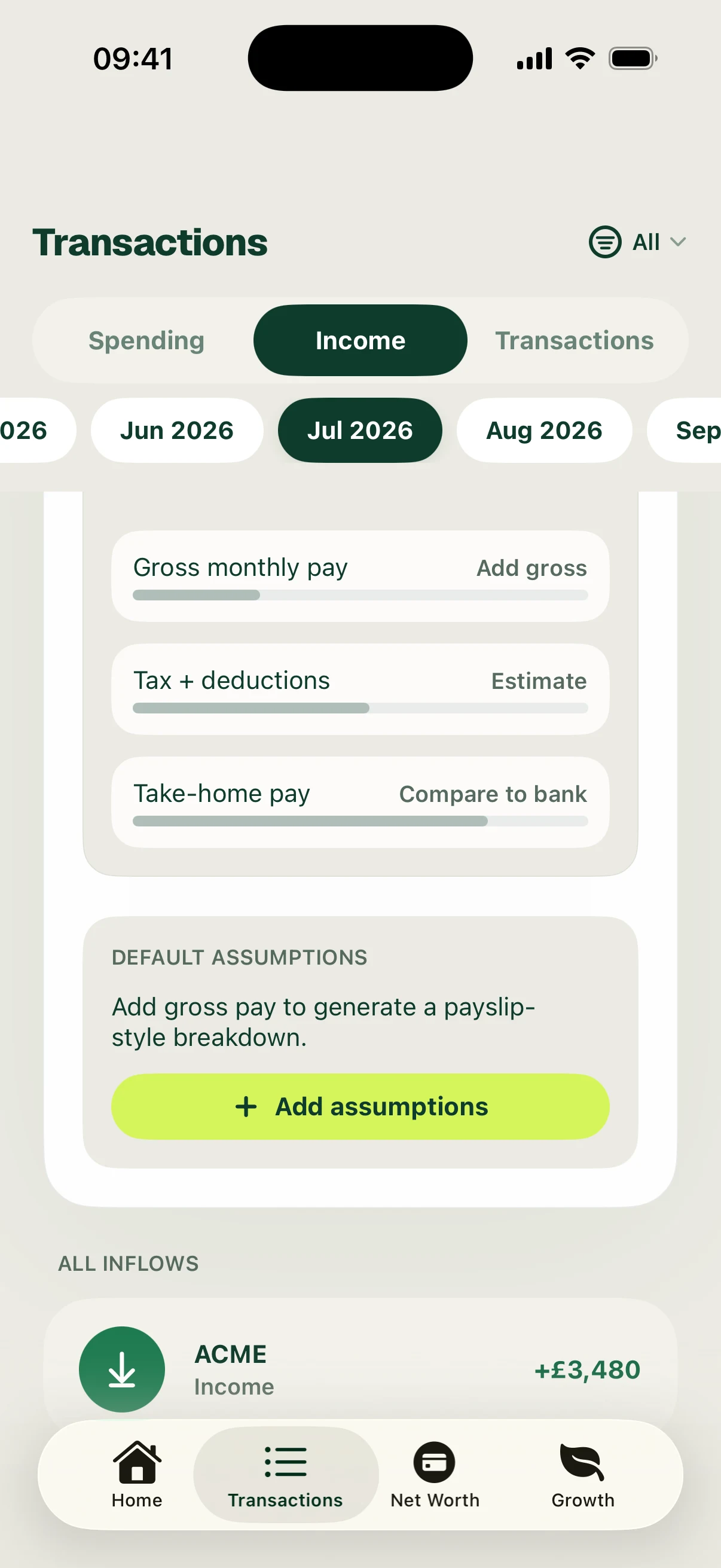
Open Transactions → Income, select the month and scroll to Monthly Payslip. Add or edit the default assumptions using the details from your payslip.
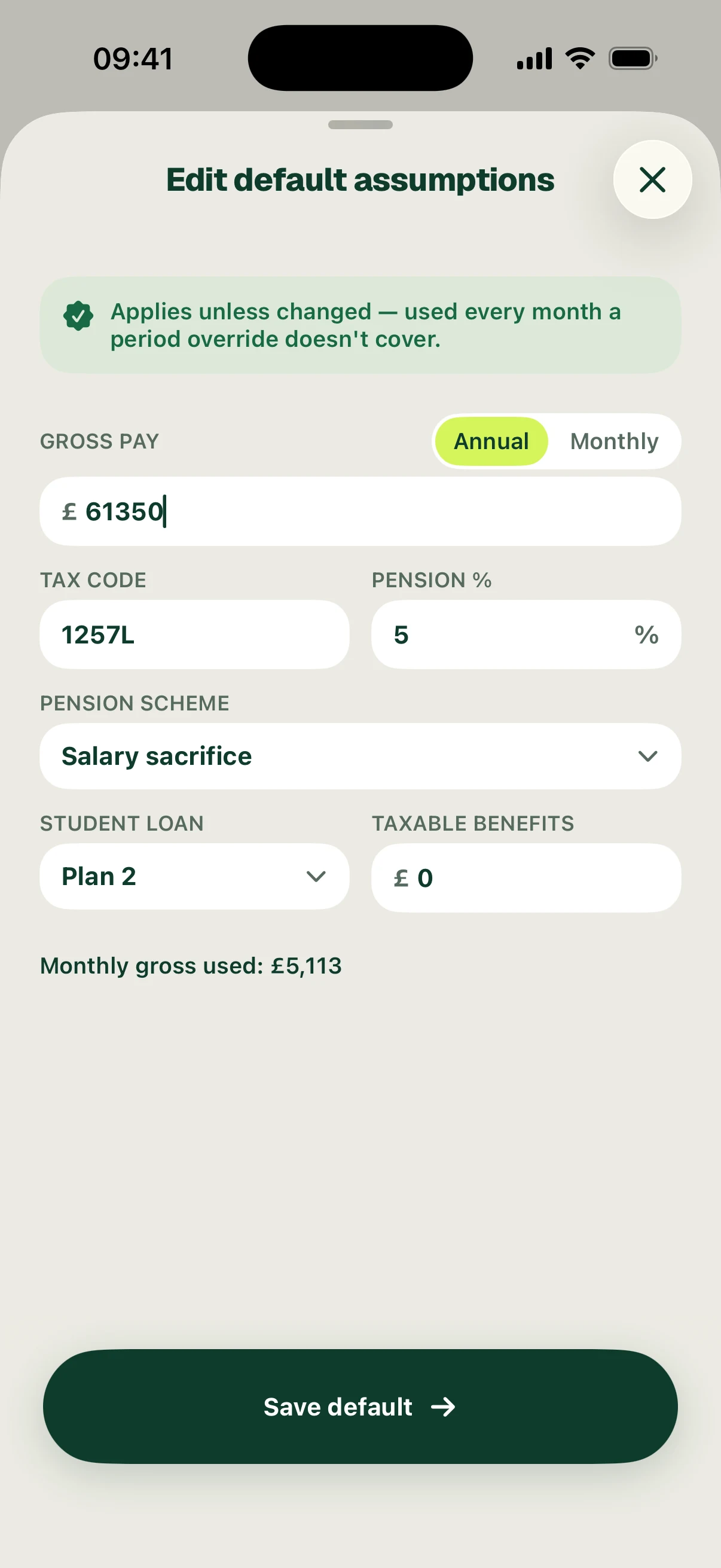
Choose annual or monthly gross pay, then enter the gross amount, tax code, pension percentage and pension scheme. Select the student loan plan and enter any taxable benefits. Check the monthly gross amount displayed, then choose Save default.
Defaults apply every month unless a period override covers that month. Use the assumptions that apply to you; the screenshot’s £61,350 salary, 1257L tax code, 5% salary sacrifice and Plan 2 are fictional examples.
Follow the screens