Track debt
Read balances and repayment forecasts, and understand the difference from history.
Screenshots use fictional accounts and example amounts. Select any image to open it full size.
How it works
Open the debt from Net Worth to review its balance, payments and repayment forecast. Keep manual balances and interest assumptions current when your lender’s information changes.
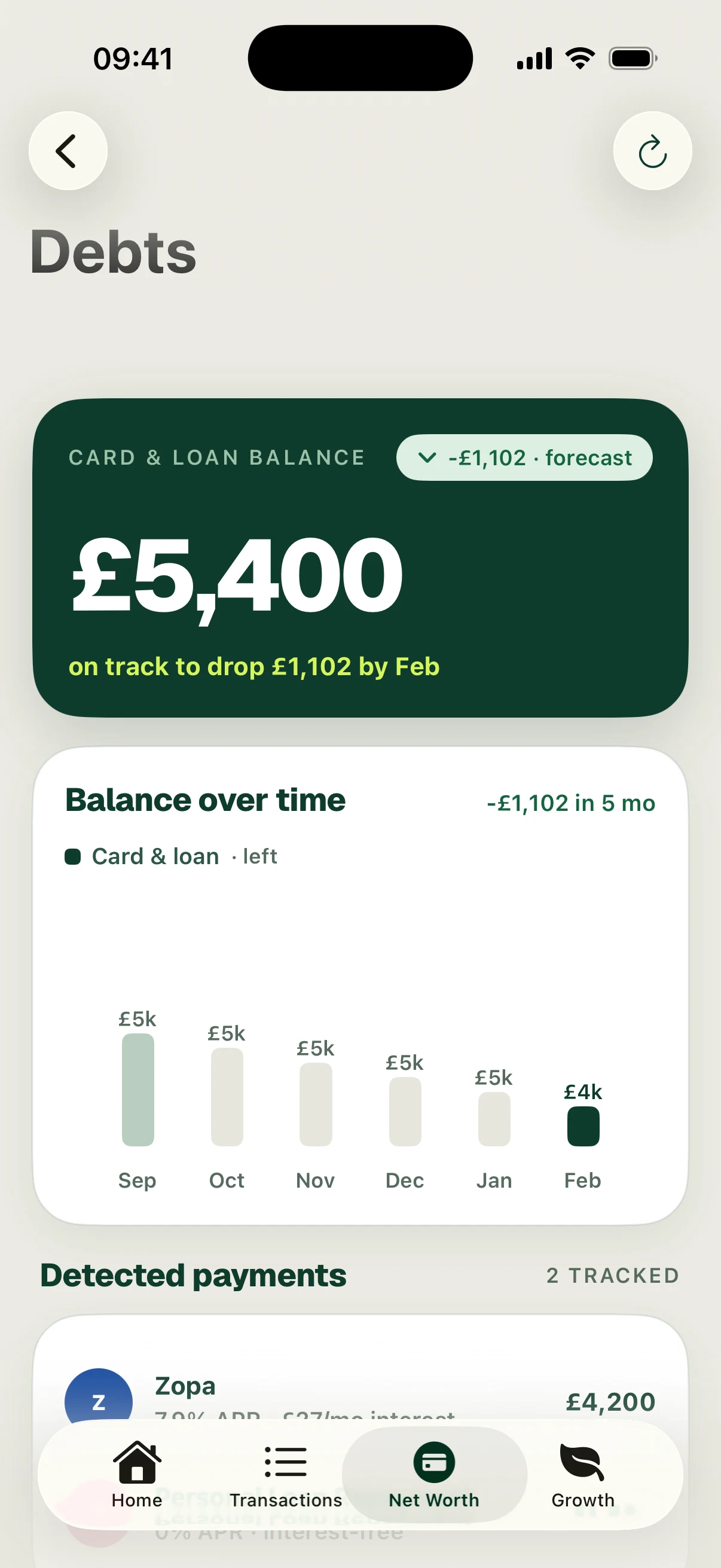
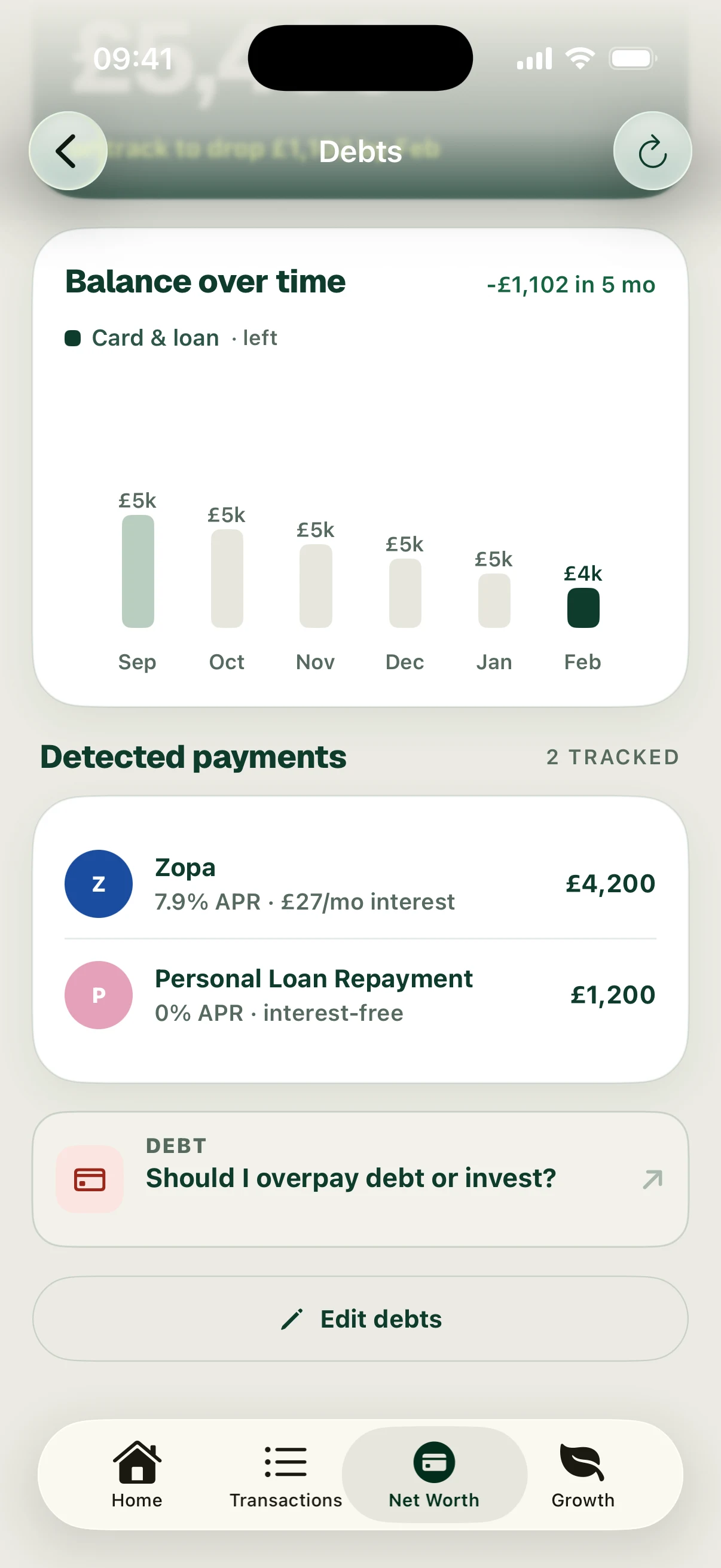
Distinguish the balance recorded now from the forecast of future repayments. A forecast depends on the balance, rate and payments in the plan; it is not a record of payments that have already happened.
The screenshots show £5,400 of debt and a forecast £1,102 reduction over the next five months. This newly configured example has a forecast, not a historical repayment series.
Follow the screens