Review inflows and outflows
Answer the payments Surplus asks about so income, savings and spending count correctly.
Screenshots use fictional accounts and example amounts. Select any image to open it full size.
What Review is for
Surplus sorts most payments on its own. A few it can’t be sure about. Money coming in might be a gift or a transfer between your own accounts rather than pay. Money going out might be a payment to a person or to savings it can’t see. Review asks you about those, so Safe to spend counts them correctly.
Until you answer, unclassified money in isn’t counted as spendable. Money out counts as Discretionary spending until you answer. Answering never changes your bank balance.
Open Review
- Open Growth and choose Breakdown.
- Choose the Review tab next to Safe to spend. A badge shows how many payments are waiting.
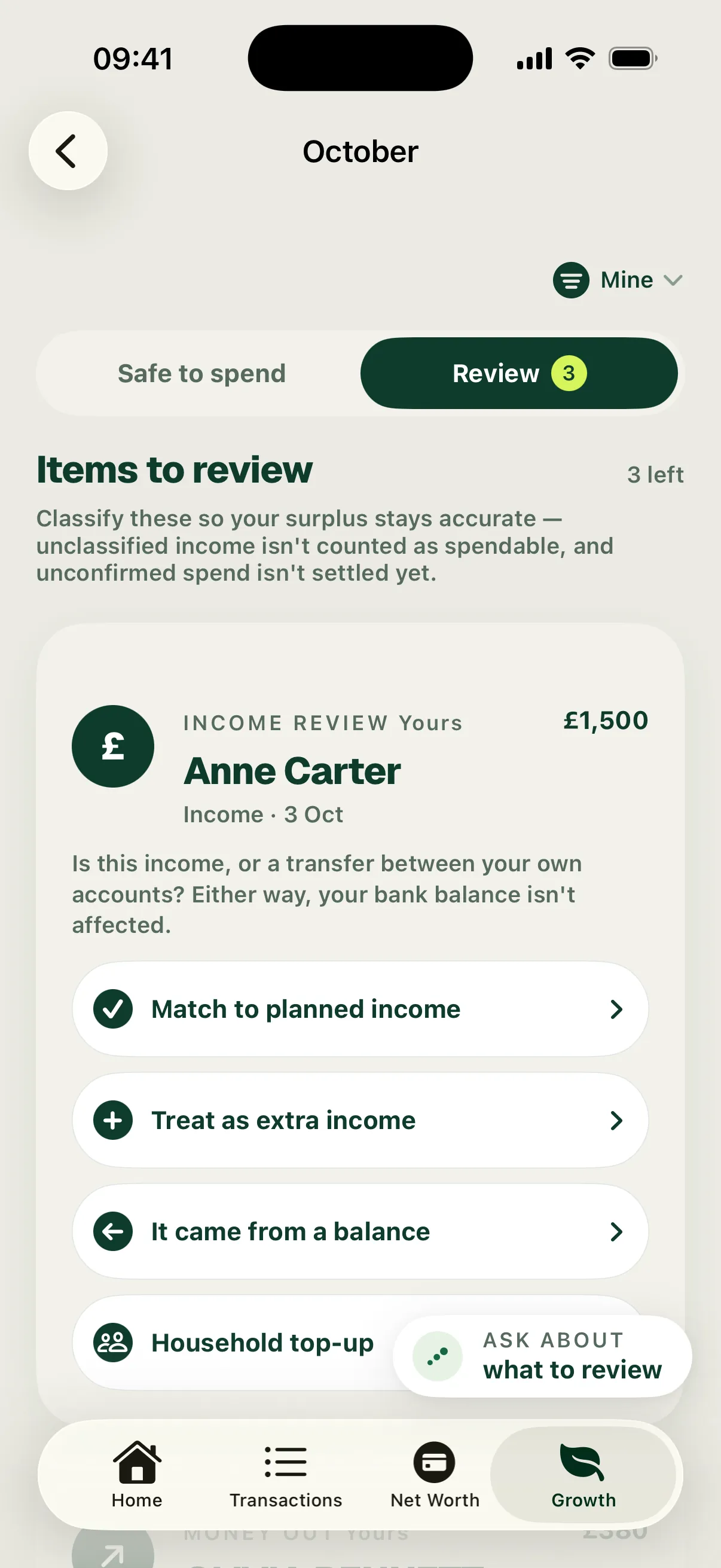
The list reads Items to review with a count, for example “3 left”. Money in and money out sit in the same list.
Money in
Each card shows who paid you, the date and the amount. It asks “Is this income, or a transfer between your own accounts?” Choose the answer that fits:
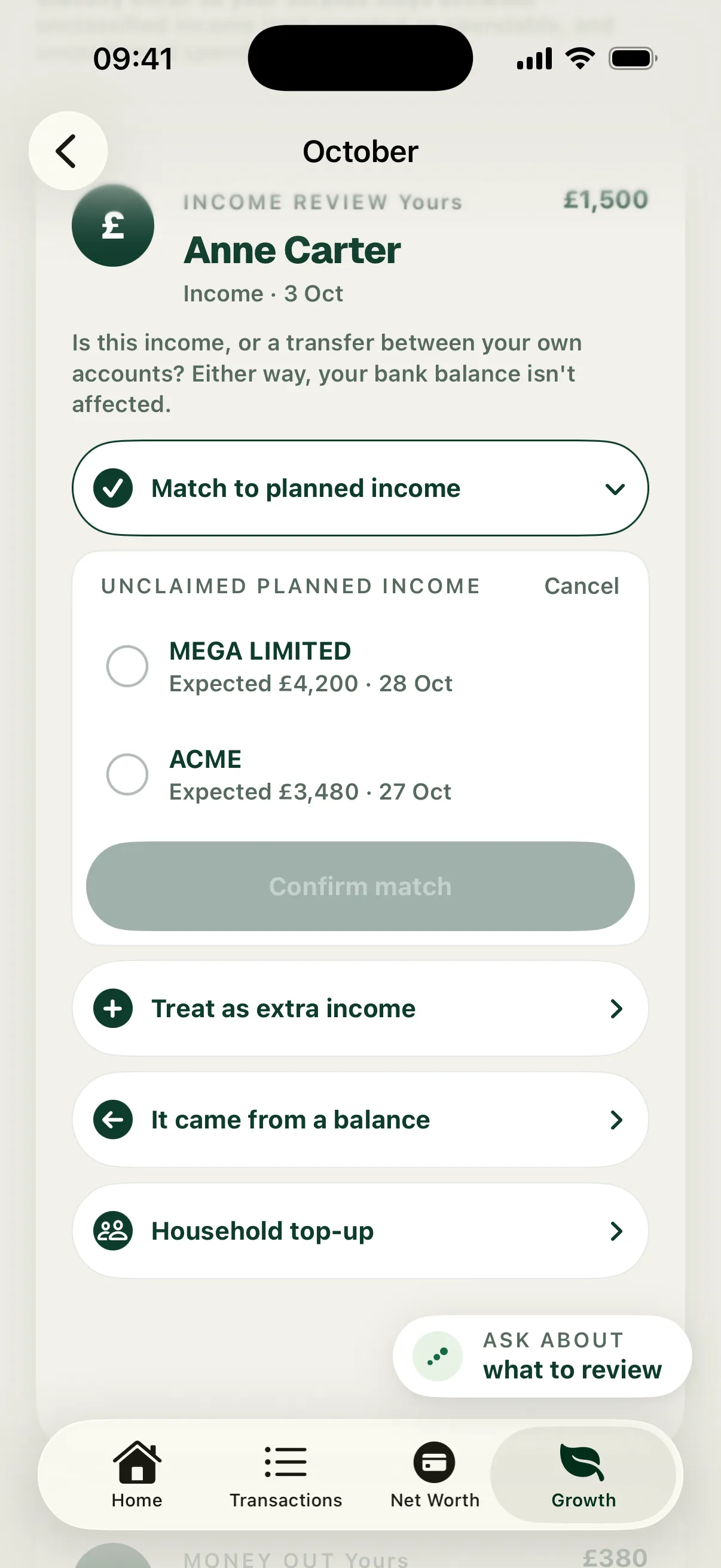
- Match to planned income: it’s pay you were already expecting. Pick the source and choose Confirm match. It counts as that pay, not as anything extra.
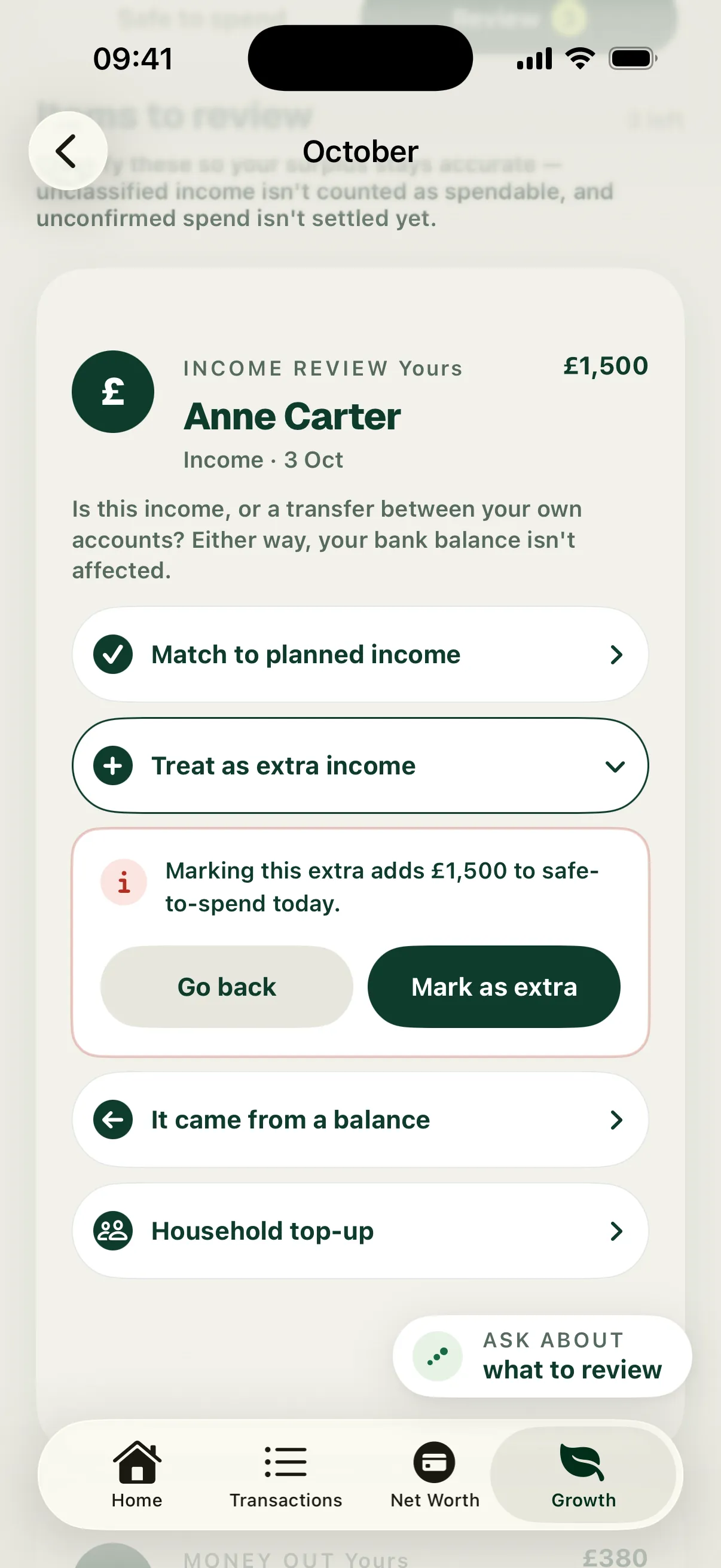
- Treat as extra income: it’s money on top of your plan, like a gift or a bonus. Surplus shows how much it adds to Safe to spend. Choose Mark as extra to confirm.
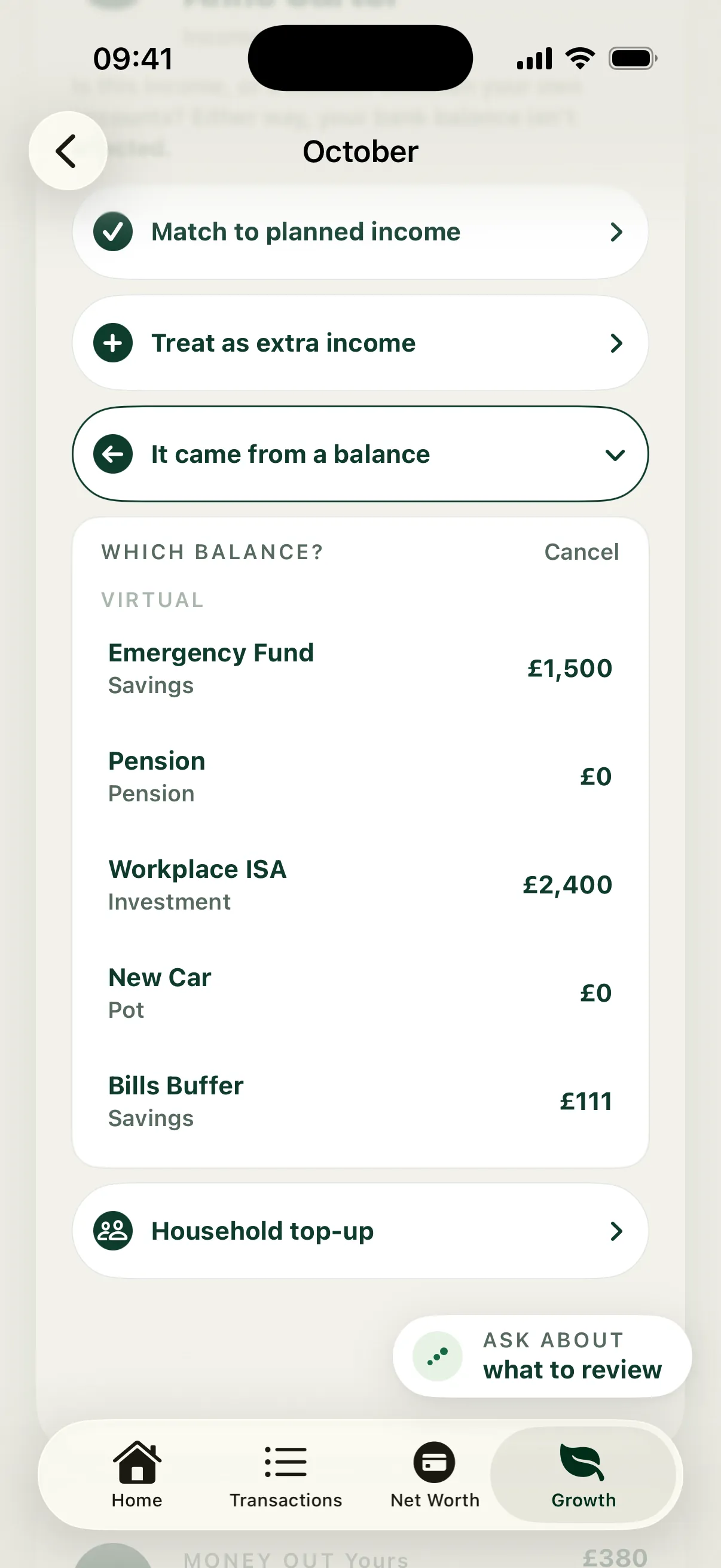
- It came from a balance: it’s money coming back from one of your virtual buckets, like savings you moved back to your current account. It’s never counted as income.
- Household top-up: it’s money from your partner, so it isn’t counted as your income. If you don’t share money with anyone, this reads Not yours. On an account tagged Mine, the share is set by the account, so there’s nothing to save here. Choose Change in household setup to change that.
In the example, £1,500 from Anne Carter is a birthday gift. The match options list the two salaries still expected, MEGA LIMITED on 28 Oct and ACME on 27 Oct, but it’s neither. Choosing Treat as extra income shows “Marking this extra adds £1,500 to safe-to-spend today.” Choose Mark as extra and the card reads Done · Extra income.
When expected pay is late
If planned pay is due and hasn’t landed, a separate card reads, for example, “ACME has not landed yet”. Choose Won’t arrive this month to take it out of this month’s plan. Safe to spend falls by that amount. If it’s only late, choose Still coming and then Keep it coming. Safe to spend then counts it even though the money hasn’t landed yet.
Money out
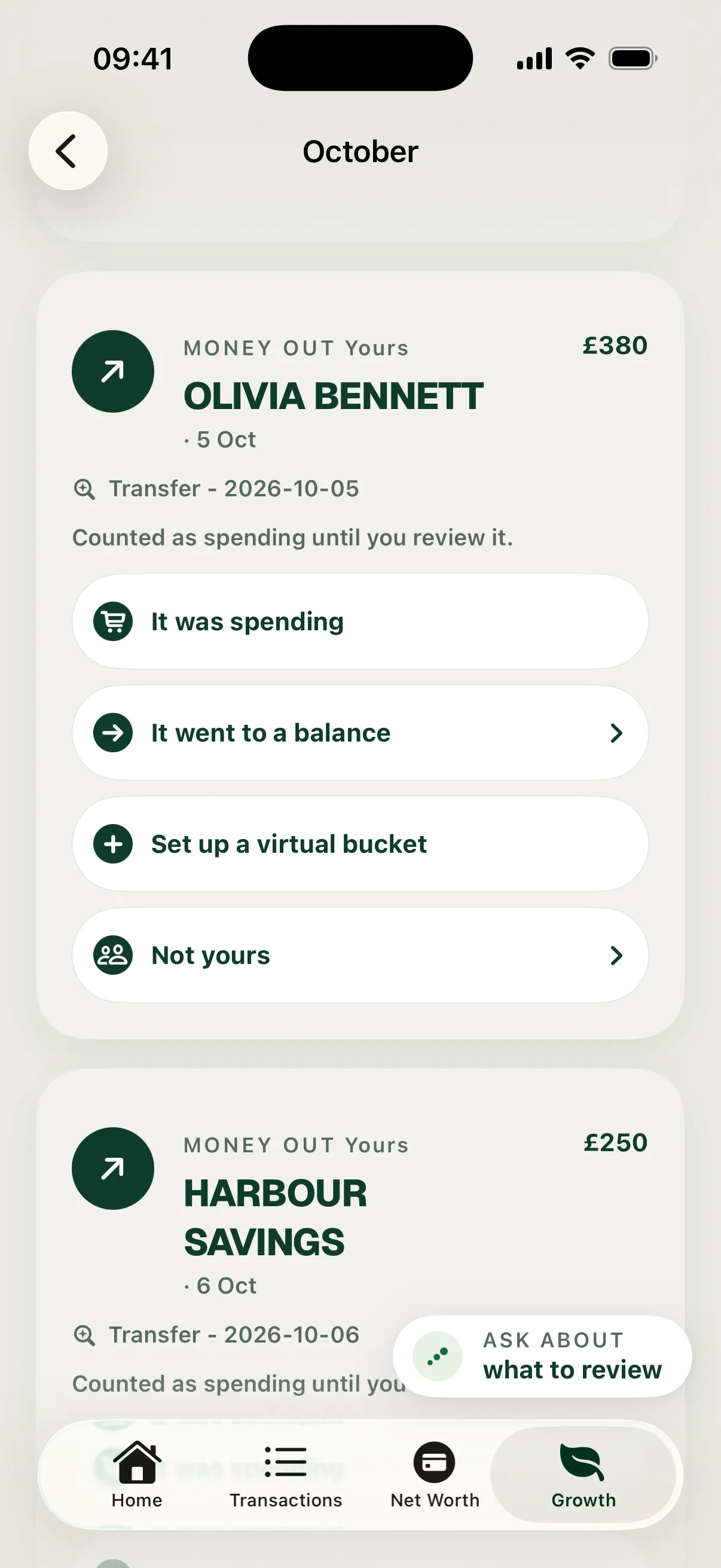
Each card shows who you paid, the date and the amount, with “Counted as spending until you review it.” Choose the answer that fits:
- It was spending: ordinary spending. Safe to spend doesn’t change, because it was already counted.
- It belongs to a bill: this only appears when Surplus has found a bill the payment may be for. It moves the payment onto that bill. When Surplus is confident, it reads Confirm as bill payment.
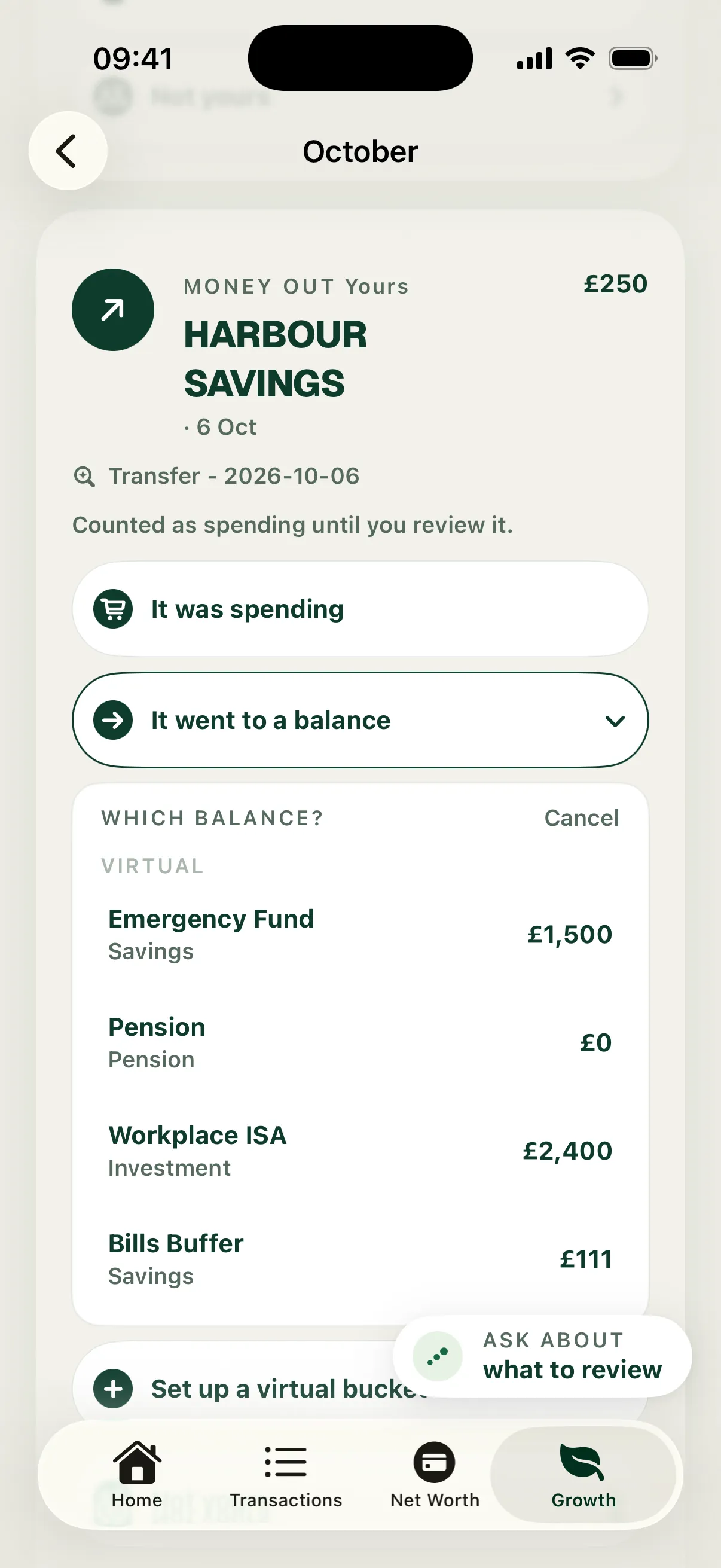
- It went to a balance: money you still own, moved into one of your virtual buckets. Tap the bucket and the answer saves straight away. The payment leaves this month’s spending.
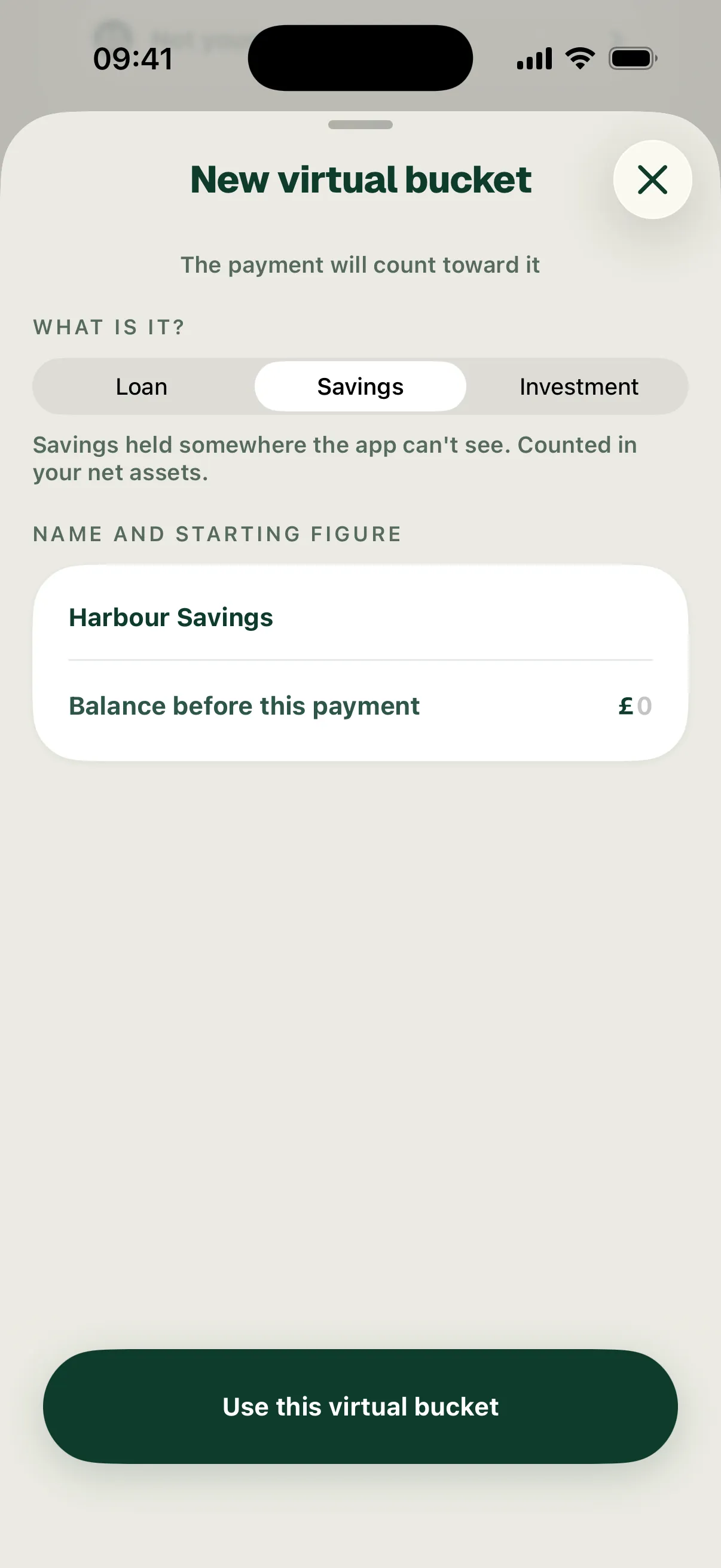
- Set up a virtual bucket: the money went somewhere Surplus doesn’t know about yet. Create the bucket and answer in one go. What is it? starts on Loan, so switch it to Savings or Investment if that fits. Then choose Use this virtual bucket.
- Not yours: it isn’t your spending. Choose whose it is, or the Shared Pool entry it pays, such as Household payment · Sam’s credit card. On an account tagged Mine, you can only choose a Shared Pool entry.
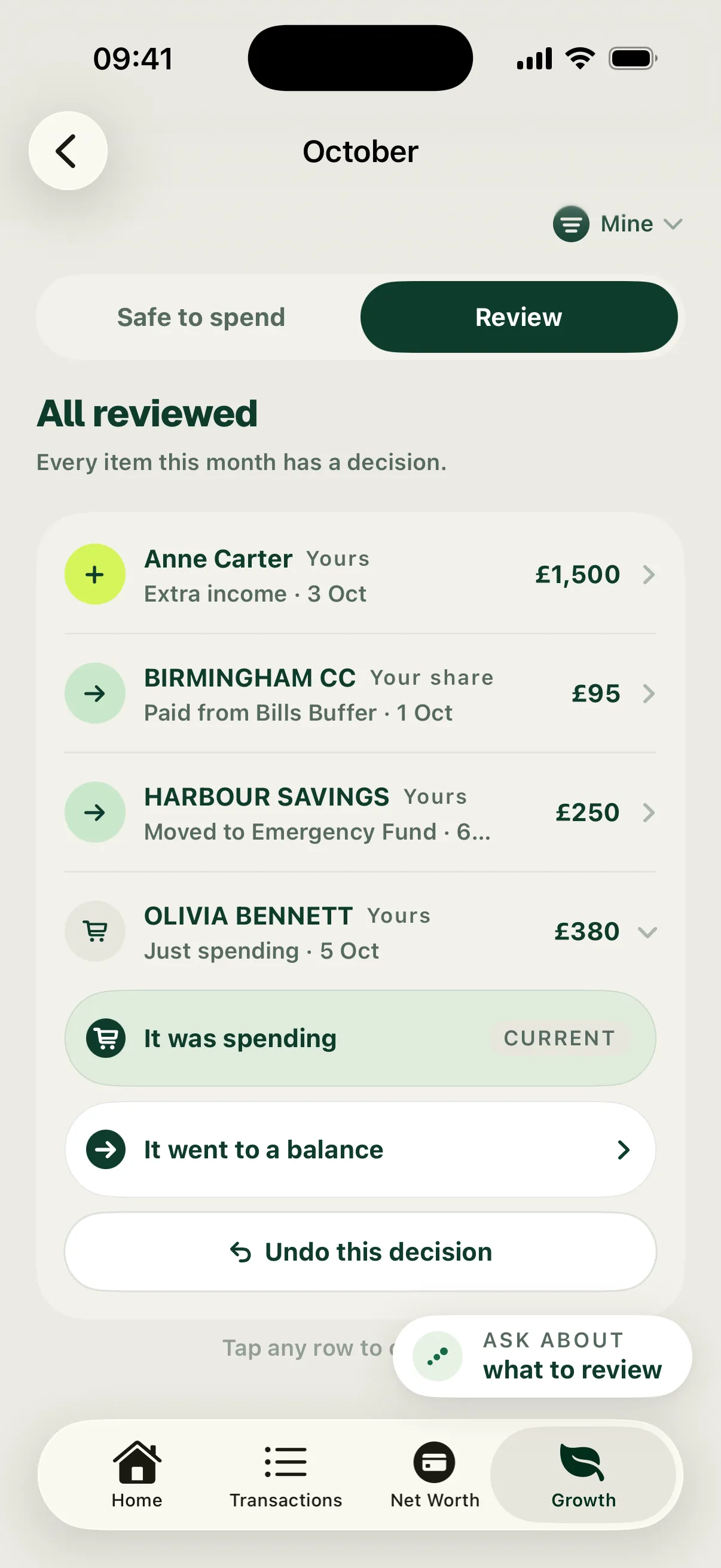
In the example, £250 to Harbour Savings went into savings kept elsewhere, so it’s answered It went to a balance with Emergency Fund. £380 to Olivia Bennett was ordinary spending, so it’s answered It was spending.
See the result and change an answer
Each answer saves at once. Switch back to the Safe to spend tab to see the new figure. If a payment you expect isn’t in Review, pull down to refresh.
In the example, the month read £820 over while the three payments waited. Marking the gift as extra added £1,500. Moving £250 to Emergency Fund took it out of spending. The month then read £930 left.
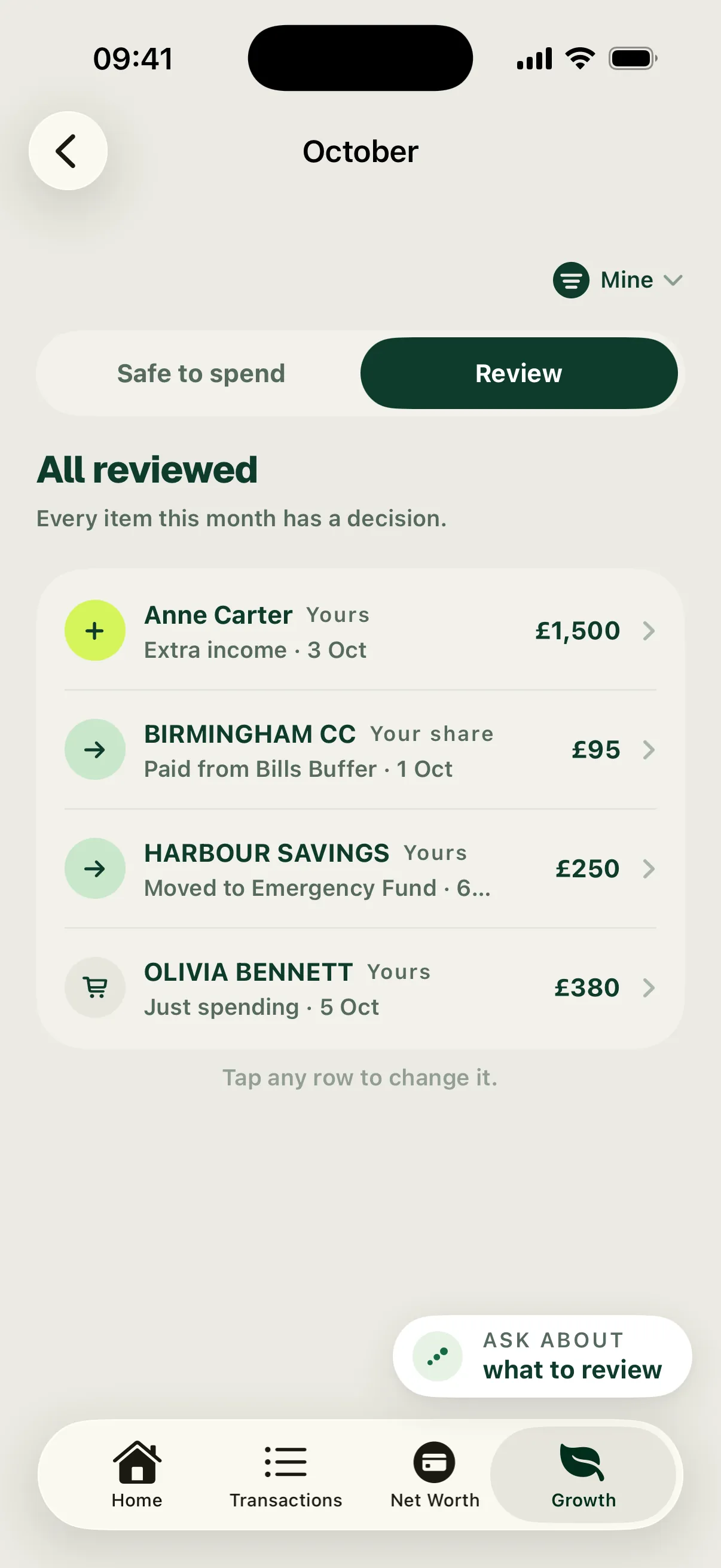
When everything has an answer, Review reads All reviewed and lists each decision, such as “Extra income · 3 Oct” or “Just spending · 5 Oct”. Tap any row to change it. A money-out row offers It was spending or It went to a balance, plus Undo this decision, which puts the payment back in review. A money-in row offers the three money-in answers but no Undo.