Understand payslip differences
Compare modelled take-home pay with banked income and investigate a gap.
Screenshots use fictional accounts and example amounts. Select any image to open it full size.
How it works
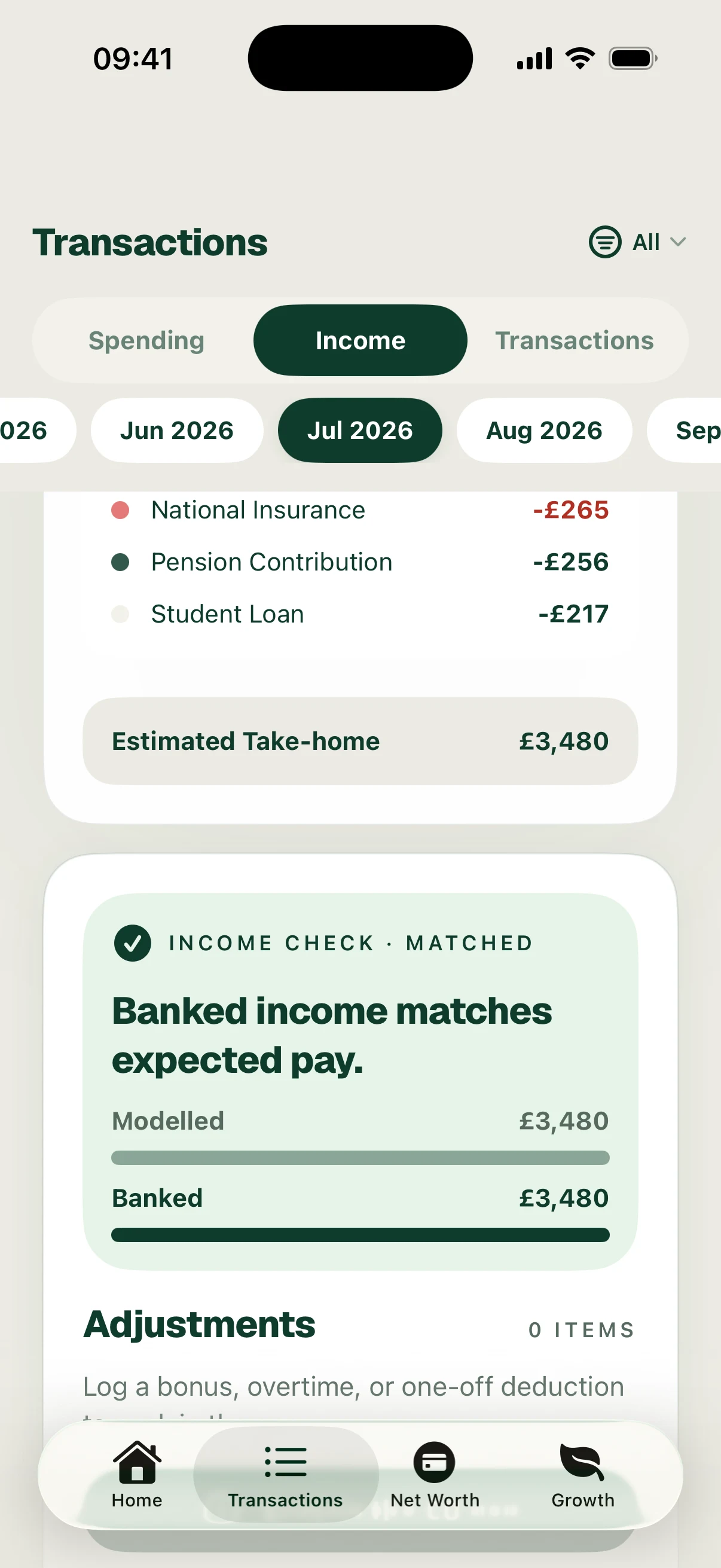
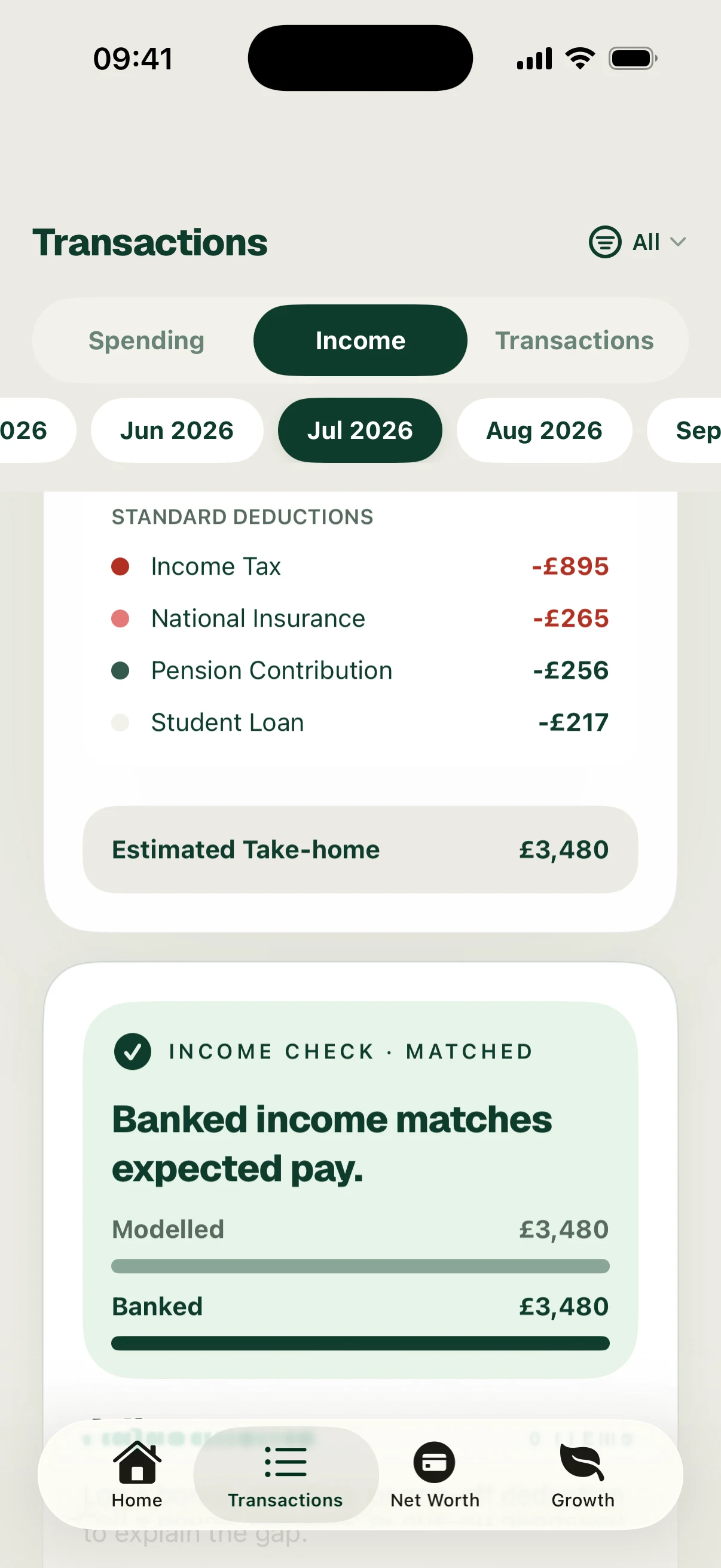
The payslip view compares Modelled take-home pay with Banked income. The model uses your pay and deduction assumptions. The bank figure comes from the salary payments Surplus has identified.
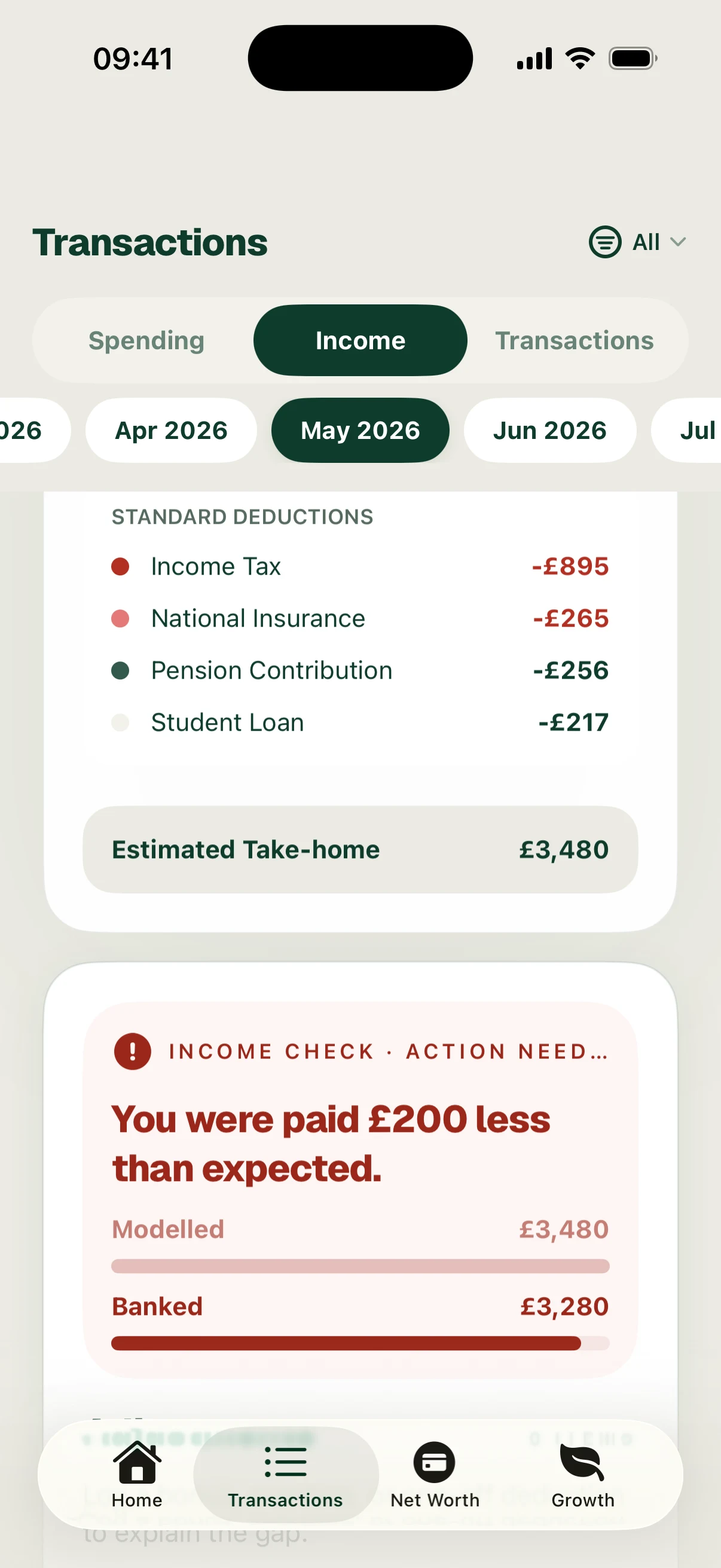
A Matched result means the model and identified payment agree within the app’s comparison. A gap means they differ; it does not establish that your employer made a mistake.
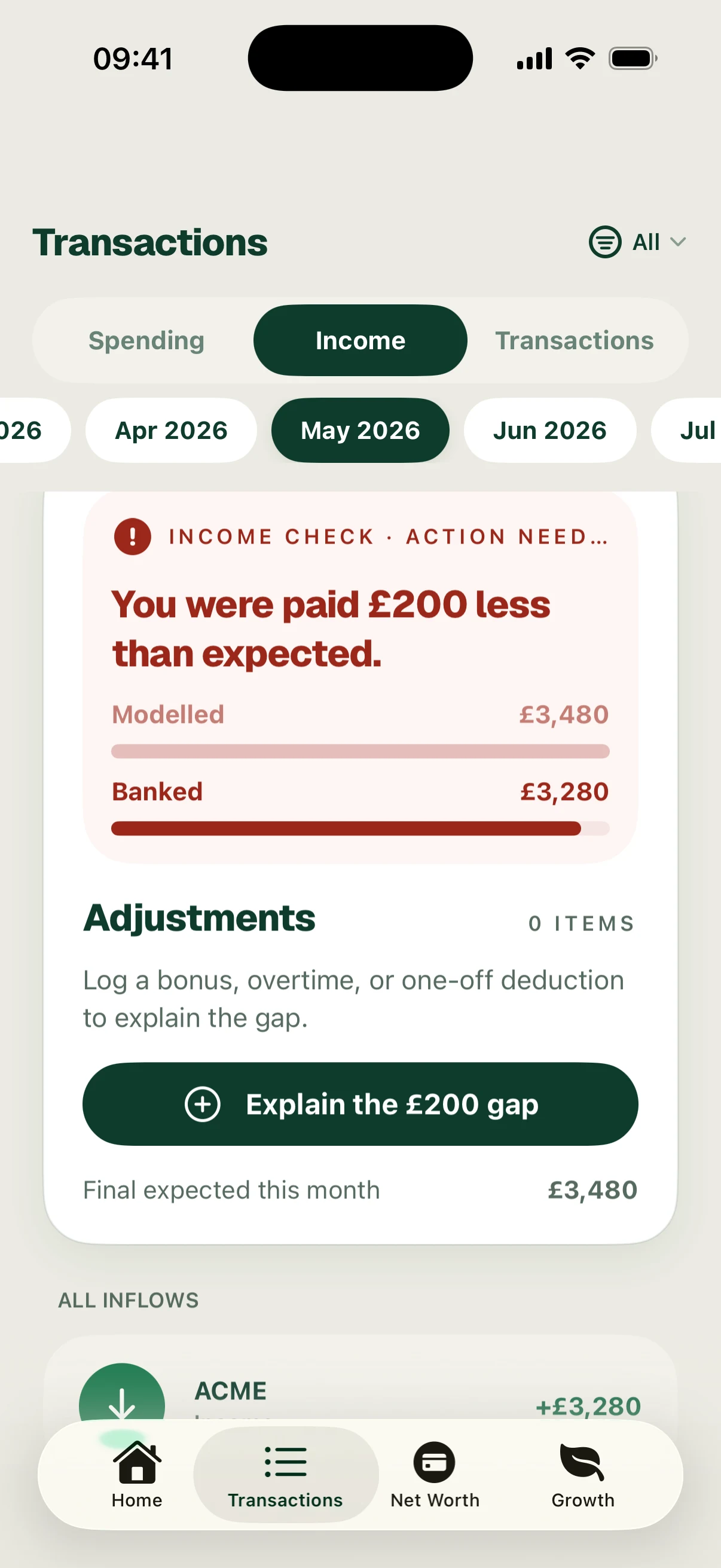
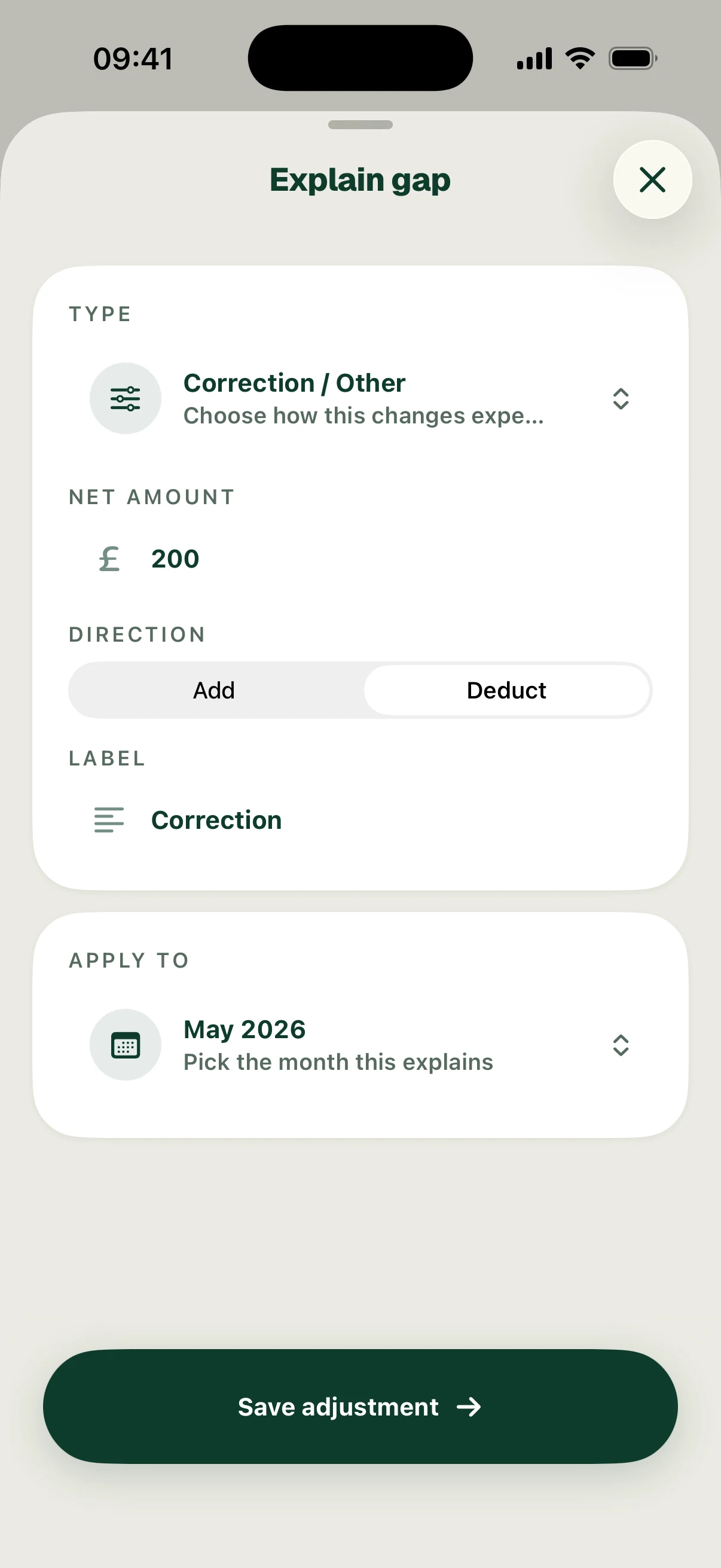
Check the selected month and income source, then compare your gross pay, tax code, pension arrangement and other deductions with the actual payslip. Use Explain gap to inspect or record a relevant adjustment, such as a bonus, overtime or one-off deduction. Check the month and amount before saving.
The examples show £3,480 modelled and banked pay in July, and £3,280 banked against £3,480 modelled in May—a £200 shortfall. The adjustment form shows a change awaiting confirmation; no adjustment has been saved in this example.
Follow the screens