Use spending targets and levers
Set a spending cap and compare actual spending with its monthly target and pace.
Screenshots use fictional accounts and example amounts. Select any image to open it full size.
How it works
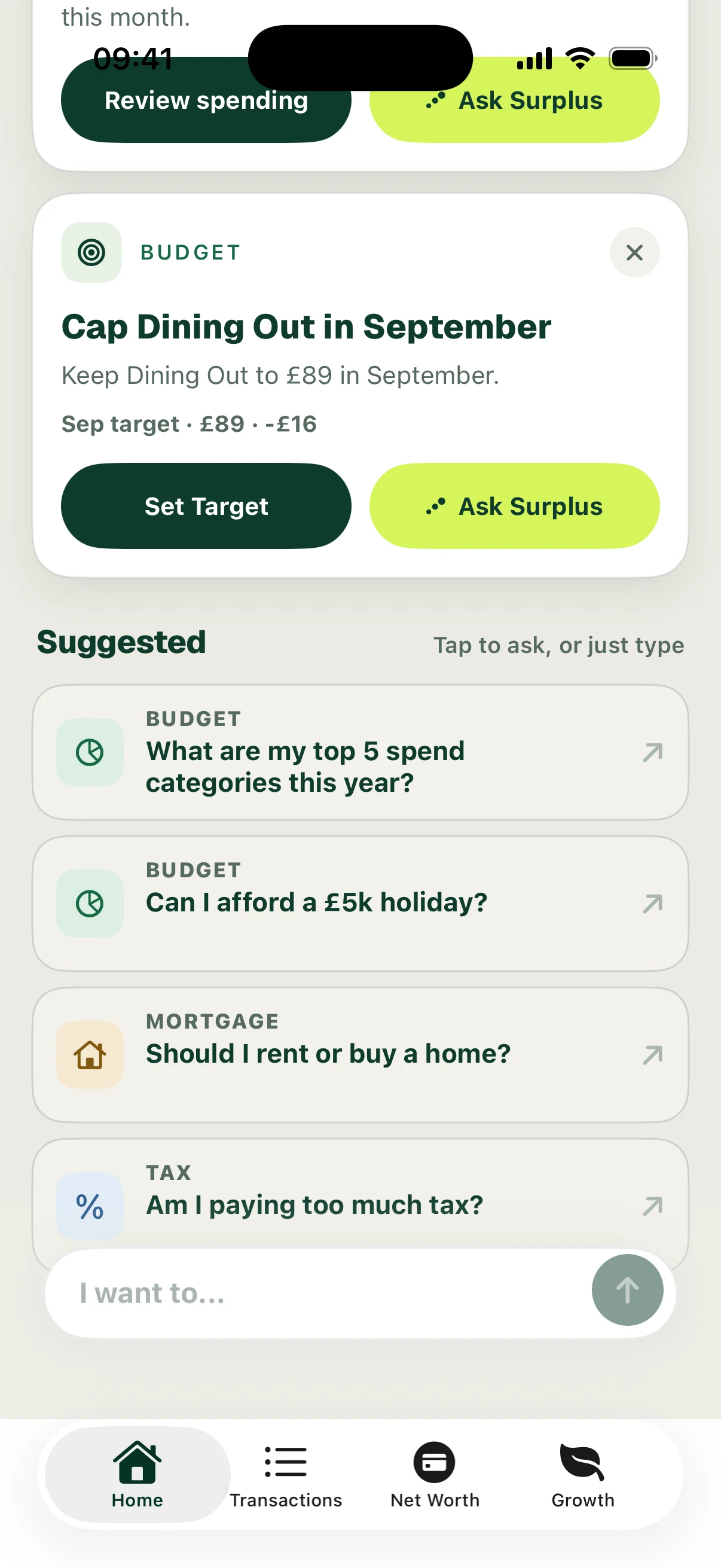
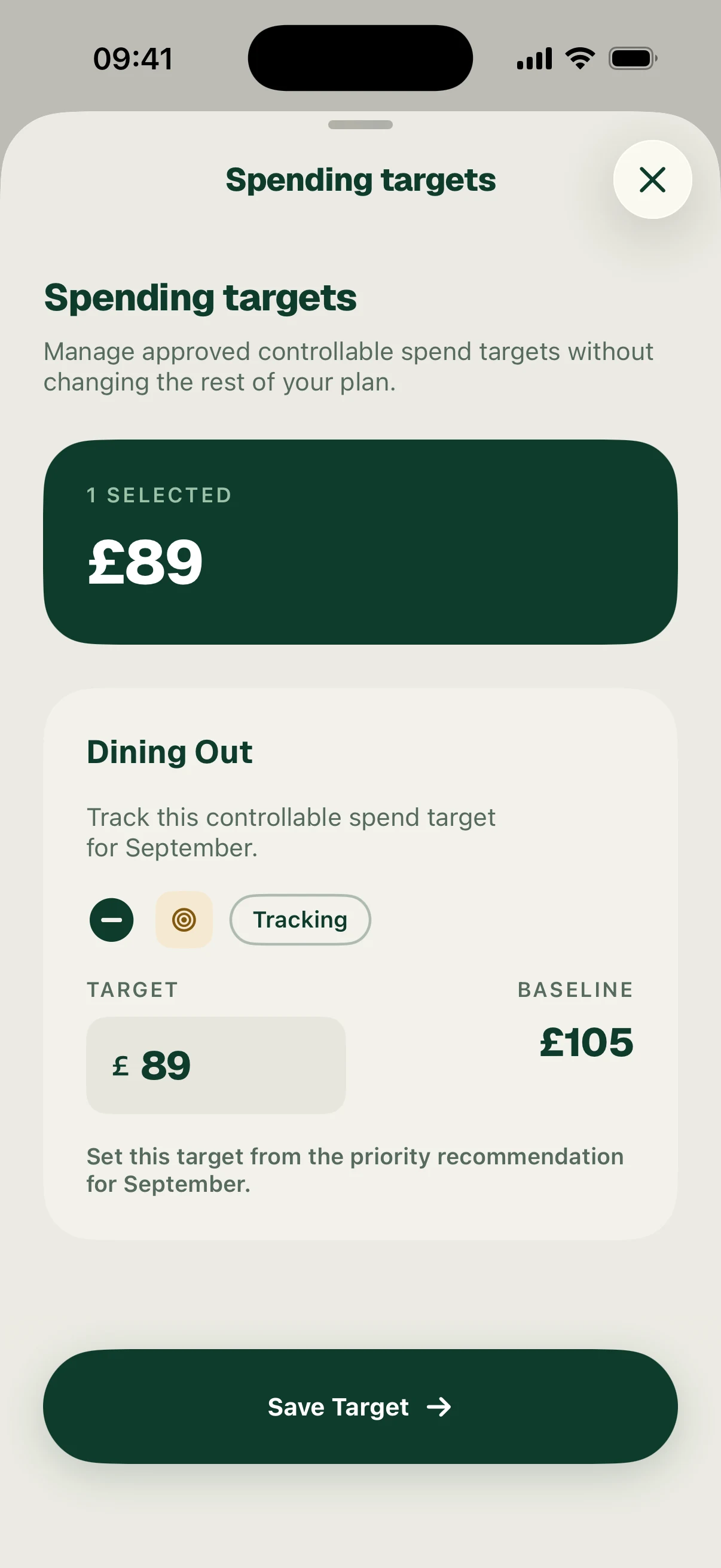
A spending-target recommendation can appear in Needs your attention. Open Set Target, compare the proposed target with the baseline, adjust it if needed and choose Save Target.
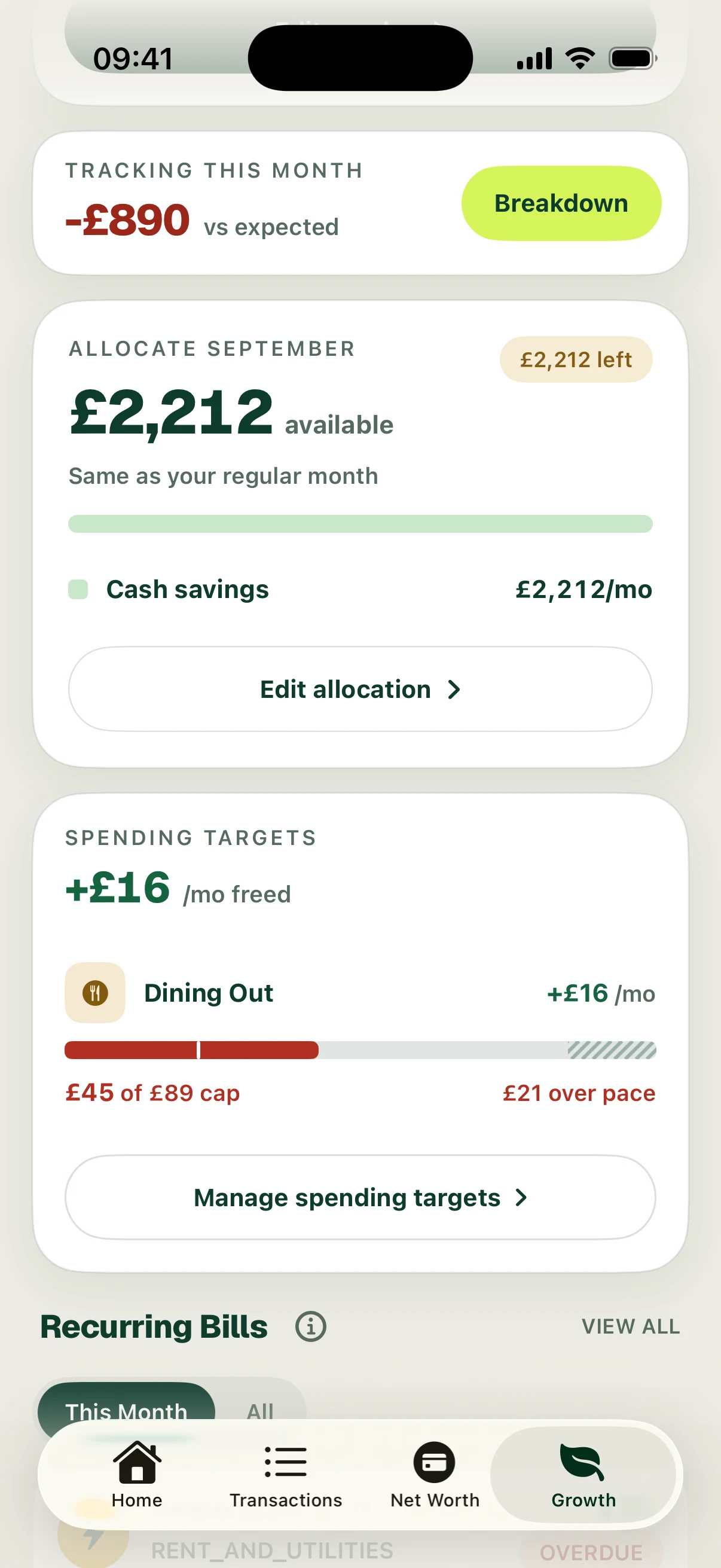
In Growth → Spending targets, check actual spending against the cap and its pace through the month. Open Manage spending targets to edit an active target or remove it for that month. This editor manages approved controllable-spend targets; a new account can initially show no active targets.
The example suggests about £89 for Dining Out against a £105 baseline, a potential £16 reduction. After saving, £45 has been spent. That is below the full-month cap but £21 over the expected pace on day 8. “Freed” is the planned reduction against the baseline, not proof of cash already saved.
Follow the screens