Read your investment portfolio
Explore portfolio value, returns, holdings and position checks.
Screenshots use fictional accounts and example amounts. Select any image to open it full size.
How it works
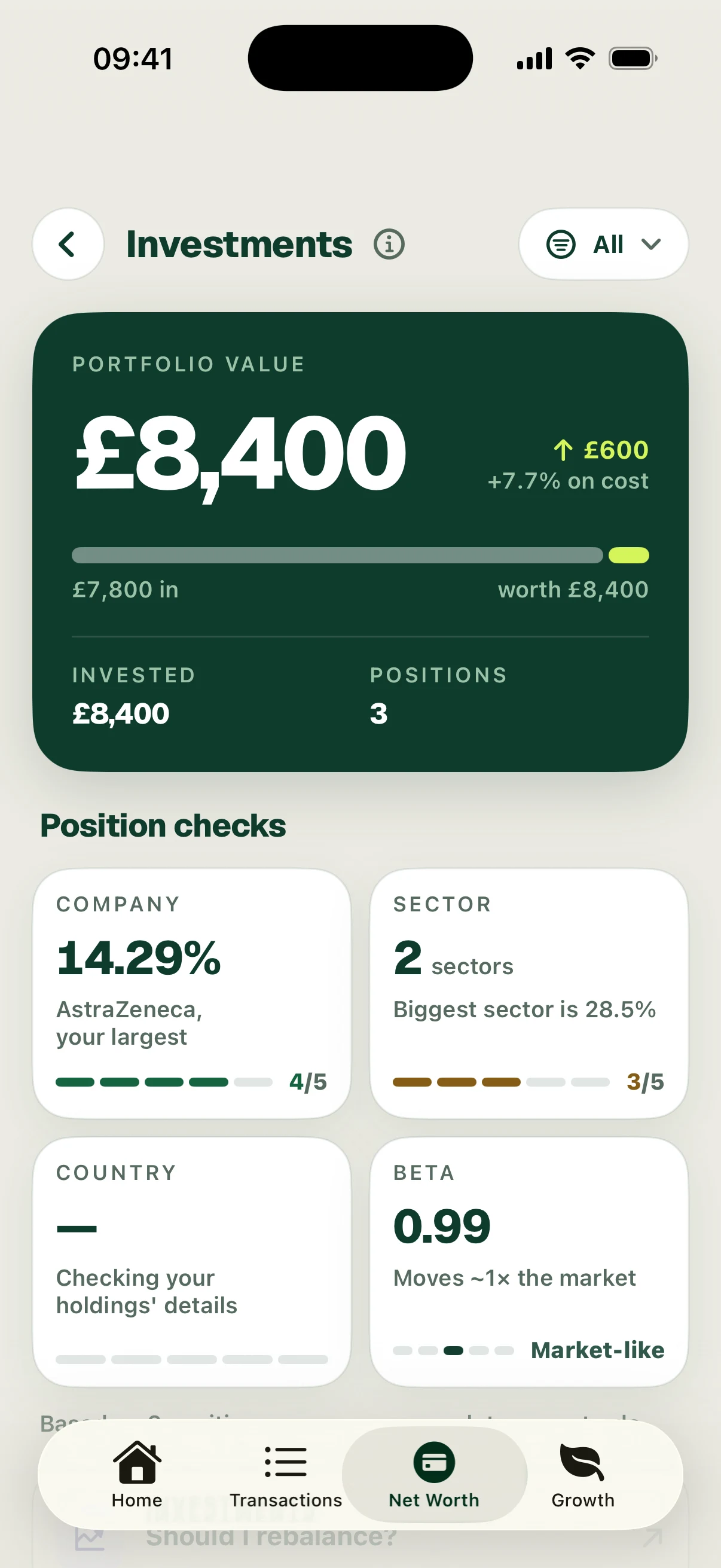
Open the investment account from Net Worth. The portfolio view shows current value, invested value, the number of positions and the return relative to recorded cost. Use the account filter to change the scope.
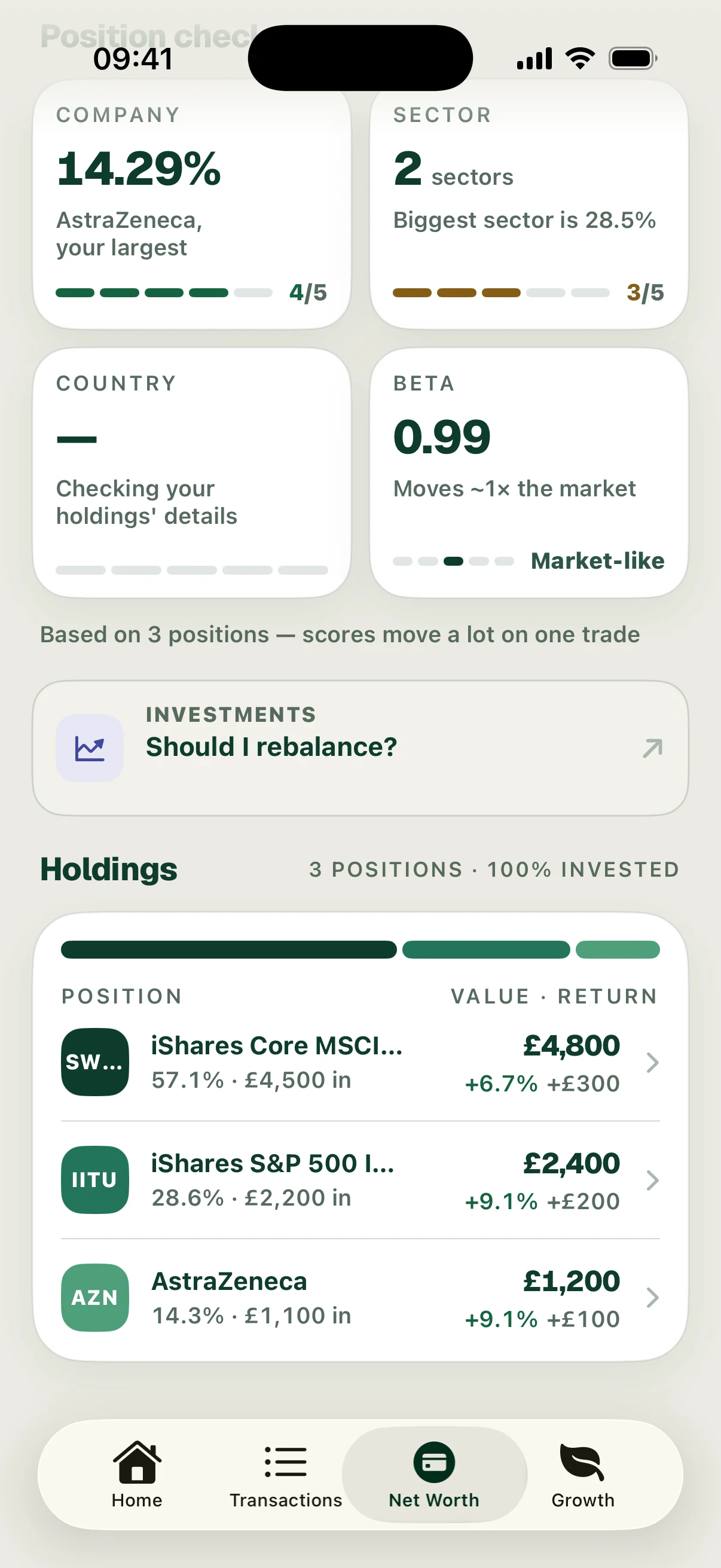
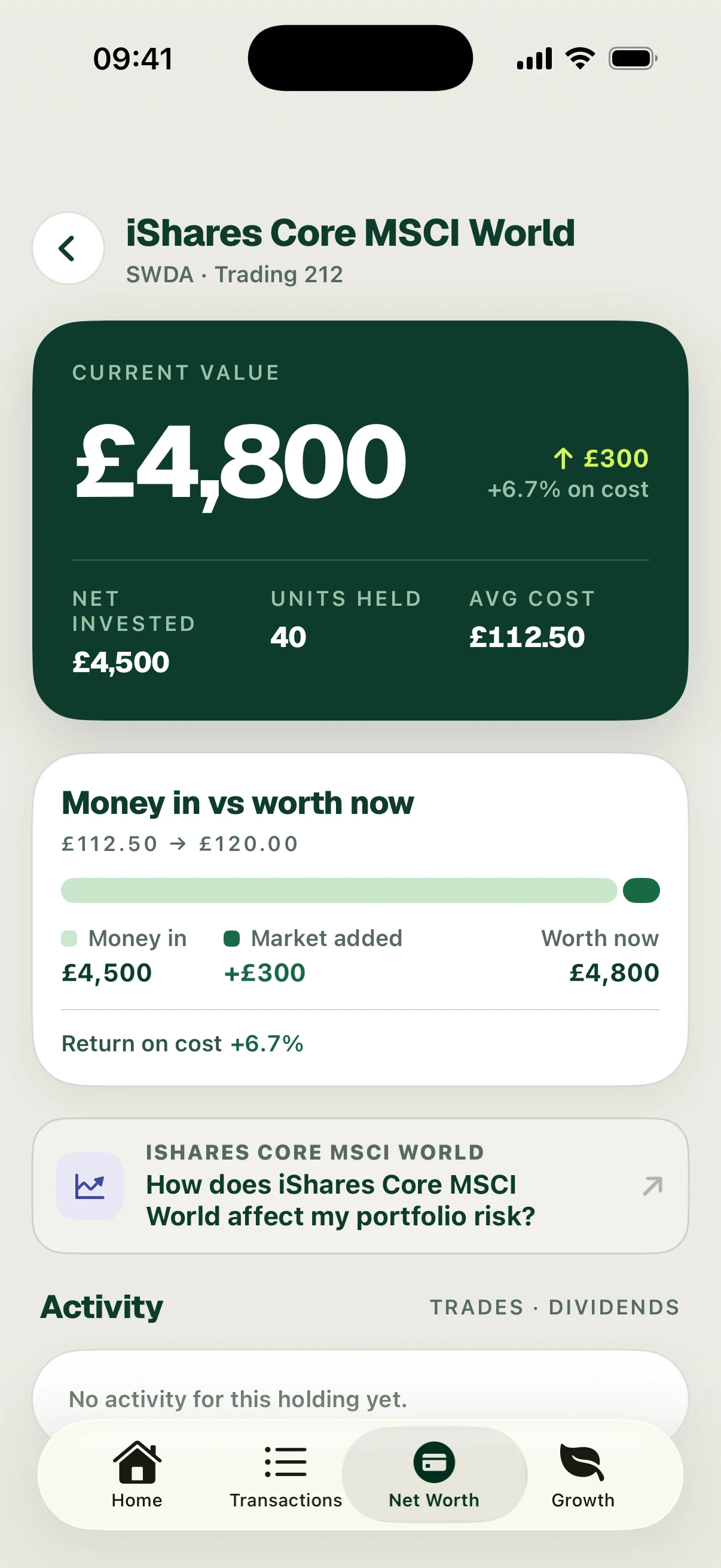
Review Position checks, then scroll to Holdings. Each holding shows its portfolio weight, value and return. Open a holding for its current value, net invested amount, units held, average cost and Money in vs worth now breakdown. Activity appears when records are available.
The fictional portfolio is worth £8,400 against £7,800 of cost: a £600 gain, or about 7.7% on cost. Its £4,800 world-fund holding has £4,500 of cost and a £300 gain. These are illustrative values, not live quotes or investment recommendations. A check still saying it is gathering details should not be read as a completed assessment.
Follow the screens